Automated PII Detection and Remediation in eDiscovery: Venio's Approach
Ready to get started?
built for clarity, control, and scale.
Share
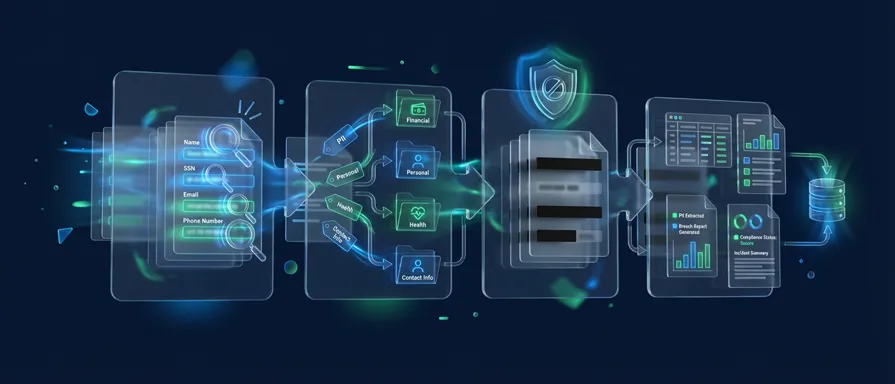
Every case file has a story. But buried inside that story, across thousands of emails, spreadsheets, scanned forms, and chat logs are names, Social Security numbers, medical records, and financial details that were never meant to be part of anyone else’s narrative.
Protecting that data isn’t optional. It isn’t even just about compliance. It’s about what happens when a production goes wrong, when a Social Security number slips through to opposing counsel, or when a data breach forces your team to notify hundreds of affected individuals with no clear picture of what was exposed or where.
That’s the problem automated PII detection was built to solve. And in the world of eDiscovery, where data volumes are measured in terabytes and deadlines don’t wait, automation isn’t just a convenience, it’s the only way to stay defensible.
What Is PII in eDiscovery and Why Is It Harder to Manage Than Ever
Personally identifiable information (PII) is any data that can identify a specific individual: names, government ID numbers, financial account details, email addresses, medical diagnoses, and biometric records. When you layer in Protected Health Information (PHI) under HIPAA, the scope widens further.
In eDiscovery, PII shows up everywhere – embedded in metadata, buried in attachments, scattered across mobile device exports, Microsoft Teams chat threads, and Cellebrite forensic images. It doesn’t announce itself. And that’s precisely the problem.
The regulatory landscape has made this exponentially harder to ignore. GDPR, HIPAA, and CCPA don’t just ask organizations to protect PII; they demand it, with consequences that range from court sanctions and fines up to 4% of global annual revenue under GDPR, to civil liability and reputational damage that no firm wants to explain to a client.
Meanwhile, the sheer volume of ESI (electronically stored information) in modern litigation means that manual review for PII is simply not feasible. A team manually scanning documents for sensitive data might miss a small but significant amount of PII buried in legacy systems, while an automated platform can process millions of files in hours with maximum accuracy. The math is not in favor of manual.
Why Regex Alone Isn’t Enough
For years, pattern-matching via regular expressions (regex) was the go-to approach for PII detection. Define a pattern — say, ###-##-#### for a Social Security number, and the system would flag every match.
The problem? Regex is brittle. It catches predictable formats but misses contextual variations. It generates false positives, flooding reviewers with noise. It can’t account for handwritten scans, unusual formatting, non-English text, or the nuanced context that distinguishes a policy number from a patient ID.
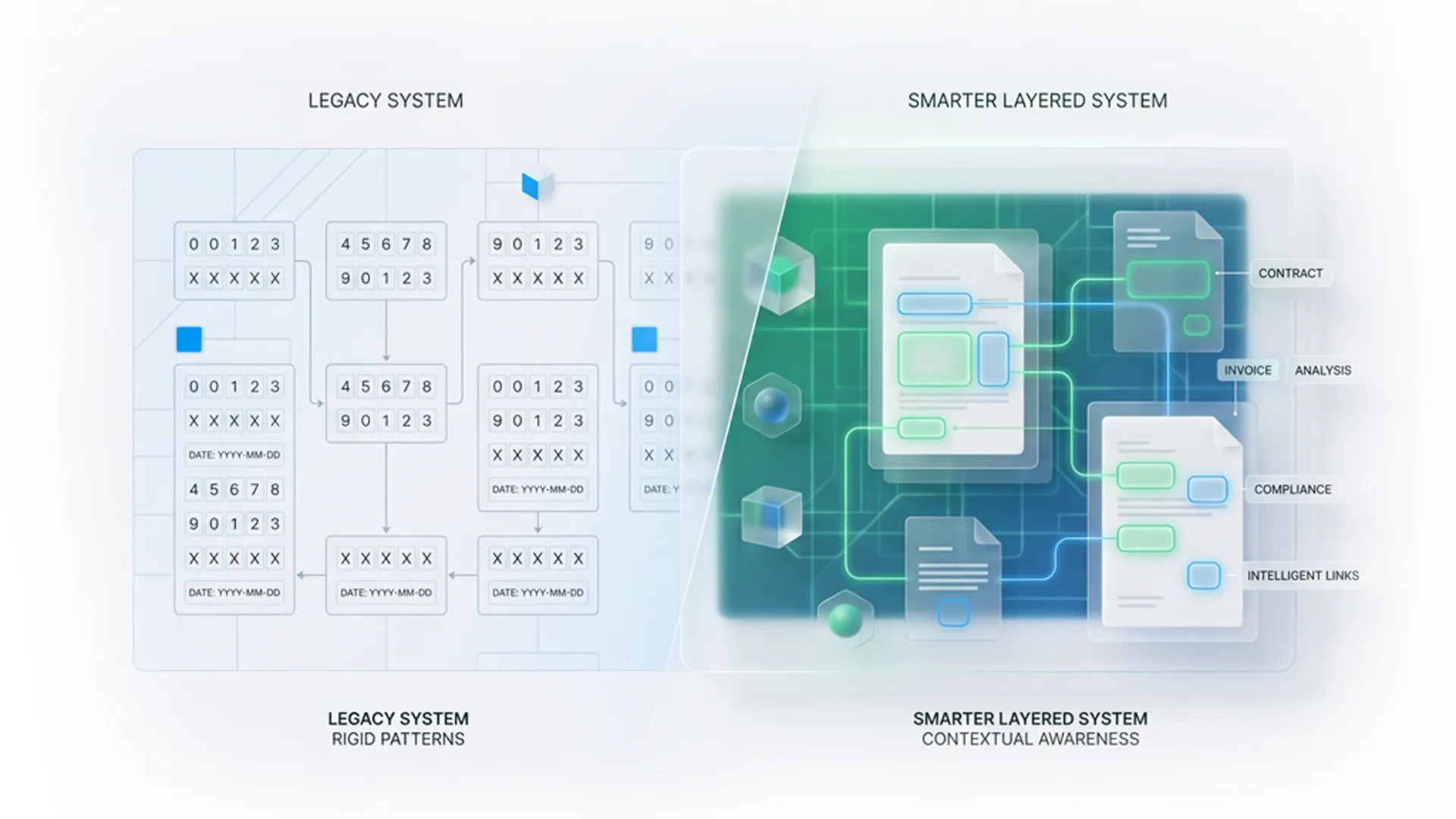
Over-relying on regex means either too much or too little, either burying your team in documents to review or letting real PII slip through the cracks. Neither outcome is defensible in court, and neither is acceptable during a data breach response where every hour of delay compounds risk.
Modern automated PII detection platforms have moved beyond regex entirely. AI-powered detection understands context, not just patterns, identifying sensitive data even when it doesn’t follow a predictable template.
The Four Stages of an Automated PII Remediation Workflow
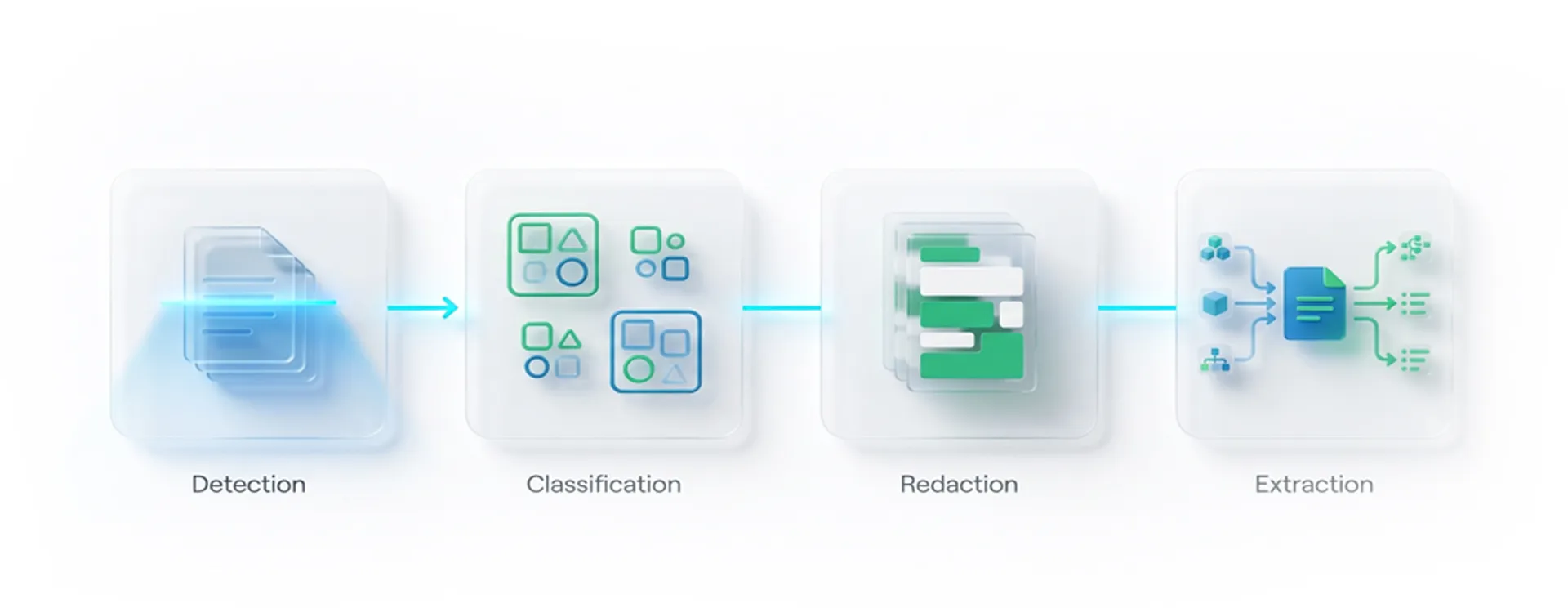
A robust automated remediation workflow in eDiscovery doesn’t just detect PII, it takes it all the way through to production-ready output. Here’s how that looks in practice:
1. PII Detection: Finding What’s Hidden
The first stage is identification. AI models scan the entire document corpus: emails, PDFs, Excel files, audio transcripts, multimedia files, and foreign-language documents, flagging instances of PII and PHI. This includes standard identifiers such as SSNs and credit card numbers, but also less-obvious data such as IP addresses, biometric references, and health diagnosis language.
Unlike regex, AI-powered detection understands context. It differentiates between a phone number in a marketing footer and a phone number in a patient record. It reduces false positives dramatically, which means reviewers spend time on genuine sensitive data, rather than noise.
2. PII Flagging and Classification — Organizing for Review
Once detected, PII instances are tagged and classified by type, risk level, and document location. This creates a structured, searchable layer on top of your document set, making it easy to filter, prioritize, and assign review tasks without manually touching every document.
This stage is critical for early case assessment (ECA), where understanding how much PII exists and what kind can shape litigation strategy, settlement posture, and collection scope decisions.
3. Bulk Redaction: Removing Sensitive Data at Scale
With PII identified and classified, the automated remediation workflow moves to redaction. This is where speed and precision intersect.
Bulk redaction allows teams to apply redactions across an entire project, not document by document. Search for a term or pattern, confirm the matches, and redact across thousands of documents in a single action. Redactions are burned in, permanently removing sensitive content from both the visible document and the underlying text layer, and not just masking it visually.
This distinction matters. A visual mask that leaves the underlying text intact can be stripped by downstream tools. Proper redaction eliminates the data entirely, ensuring nothing slips through to the production set.
4. PII Extraction: The Data Breach Use Case
This is the stage most platforms overlook, and it’s the one that matters most when time is critical.
PII Extract goes beyond flagging. It pulls structured data from identified PII instances and compiles it into a usable format for breach notification. When a company experiences a data breach and must notify affected individuals within regulatory deadlines, the traditional approach, which is manually reviewing documents to compile a notification list, can take weeks or months.
With automated PII extraction, that same task can be completed in hours. The platform identifies affected individuals, catalogs the types of data exposed, and outputs structured reports that feed directly into breach-notification workflows. It’s one of the most time-consuming, expensive, and high-stakes problems in legal operations, and automation has fundamentally changed what’s possible.
Venio’s Approach: PII Detection Built Into the Review Platform
Most eDiscovery platforms treat PII management as an add-on, i.e., a separate tool bolted onto the review workflow, requiring data transfers, additional licensing, and context-switching between systems. That fragmentation introduces risk at every handoff.
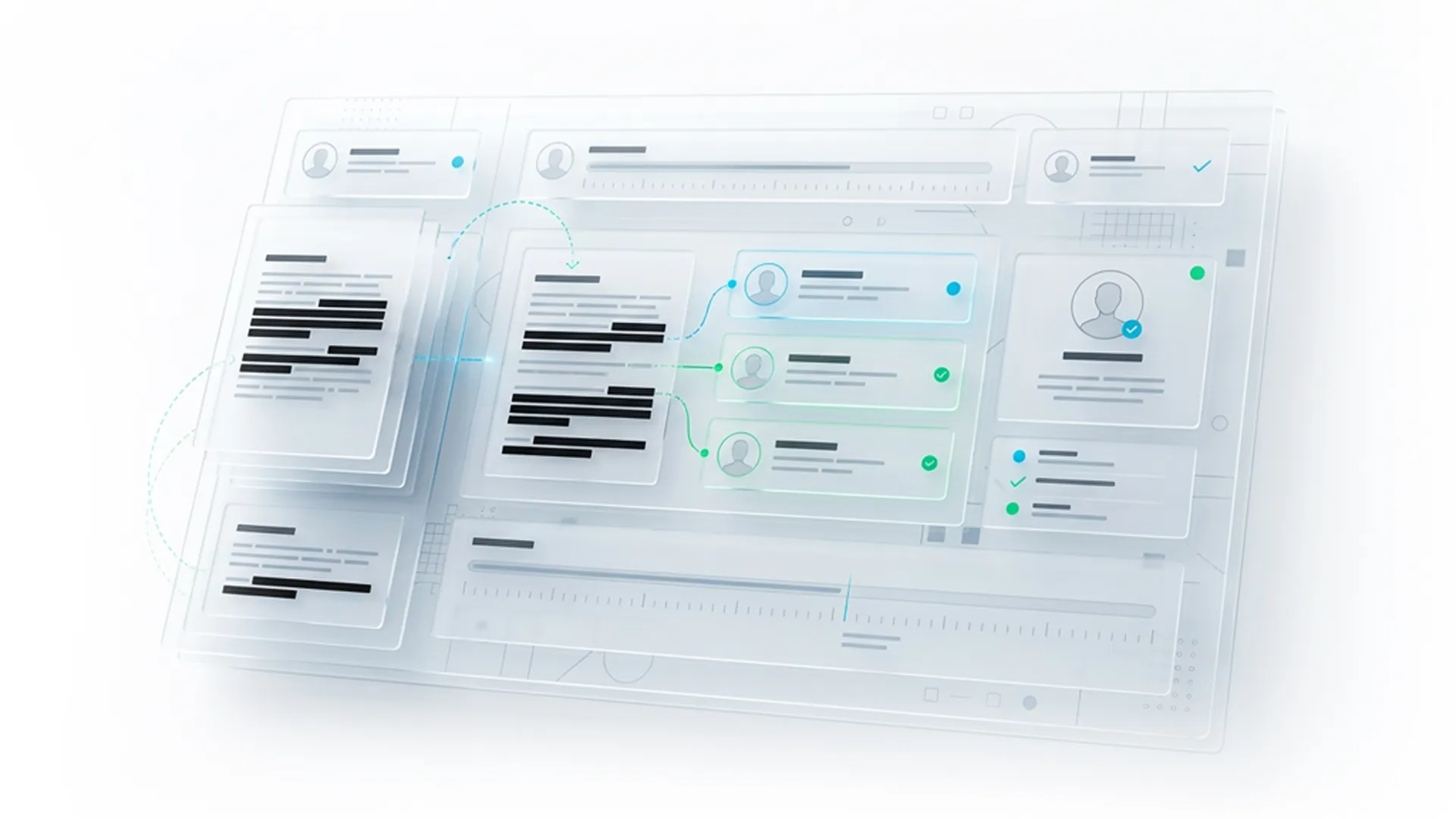
Venio takes a different approach. Through its strategic partnership with eDiscovery AI, Venio has integrated a full PII detection and remediation suite, PII Detect, PII Extract, along with Relevance and Privilege detection directly into Venio Review Next. Everything runs inside the same platform, on the same document set, within the same workflow.
This matters for three reasons:
1. Defensibility
When PII detection and redaction happen within a unified, auditable platform, every action is logged. Every redaction is traceable. Every decision has a timestamp and a reviewer attached to it. That’s a defensible workflow, one that can be presented to a court, a regulator, or a client with full confidence.
2. Speed
No file transfers. No re-processing. No waiting for an external tool to sync. Detection runs against the documents already in review, and redactions apply in bulk without leaving the platform.
3. Precision
Without training sets. Venio’s integrated AI achieves near-perfect recall and precision without requiring extensive training sets upfront, meaning legal teams can get to work immediately on new matters without a lengthy configuration process.
For matters involving foreign-language ESI or multimedia files, increasingly common as global litigation and mobile evidence collection grow, the platform handles those natively as well.
What This Means for Legal Teams in Practice
The practical impact of a mature automated PII detection and remediation workflow isn’t just operational efficiency. It changes the risk profile of the entire matter.
Teams that rely on manual PII review are one missed Social Security number away from a sanctions motion. Teams with fragmented, multi-tool approaches are exposed at every data transfer point. And teams responding to data breaches without automated PII extraction are burning hours and money on a task that technology can handle in a fraction of the time.
What automated remediation workflows deliver, ultimately, is control. Control over what leaves your review platform. Control over your compliance posture. Control over the narrative when something goes wrong.
Stop Hunting for PII Manually. Start Reviewing With Venio
PII detection in eDiscovery isn’t a checkbox. It’s a discipline that requires speed, accuracy, and an end-to-end workflow that takes sensitive data from identification all the way through to a defensible, production-ready document set.
Regex gets you started. AI gets you there safely.
Venio’s integrated PII Detect and PII Extract capabilities represent what a purpose-built, platform-native approach to automated PII detection looks like: less friction, more precision, and the kind of audit trail that turns a high-risk process into a repeatable, defensible one.
Ready to see how Venio handles PII in your review workflow? Contact us and watch the full automated remediation workflow in action.
Related Articles

eDiscovery Data Analytics & Visualization for Trial Preparation
Most litigation teams don’t lose at trial because they lack evidence. They lose
Read Article
What to Ask in an eDiscovery Demo Before You Sign
Twenty questions that make an eDiscovery vendor prove processing, AI, security a
Read Article
Consolidating Your eDiscovery Stack Without Disrupting Active Matters
How to consolidate eDiscovery tools without disrupting live matters, and why a f
Read Article