Defensible Legal Holds for Slack and Teams
Ready to get started?
built for clarity, control, and scale.
Share
In January 2019, an energy trading firm sued a former employee and his new company. Within days, a private Slack message moved across the defendants' side. It discussed building a new algorithm to disguise the fact that the original code came from the plaintiff.
That message was responsive to discovery. It should have reached the plaintiff in 2019. It did not surface until 2022, after the court ordered the entire Slack archive searched by an outside vendor.
By then, the defendants had already told the court, under oath, that they had produced everything. They had not. A federal judge entered default judgment against them. The conversations that decided the case never lived in email, they lived in Slack.
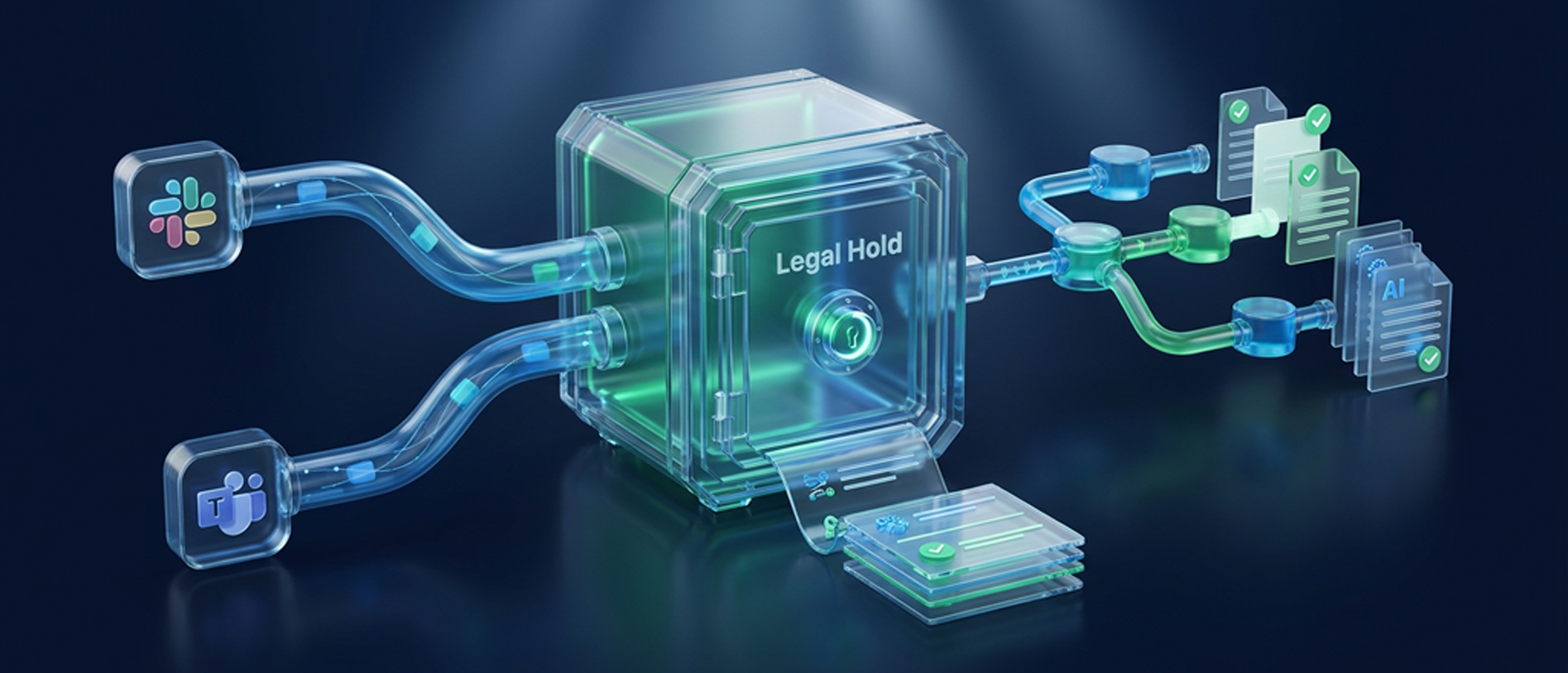
This is the new reality of preservation. The most damaging evidence now sits in collaboration platforms. Most teams assume a native Slack or Teams legal hold keeps that evidence safe. It does not, and the gap tends to open long before anyone thinks to place a hold. Understanding when that duty begins is where defensibility starts.
Understanding the Legal Hold and Its Trigger
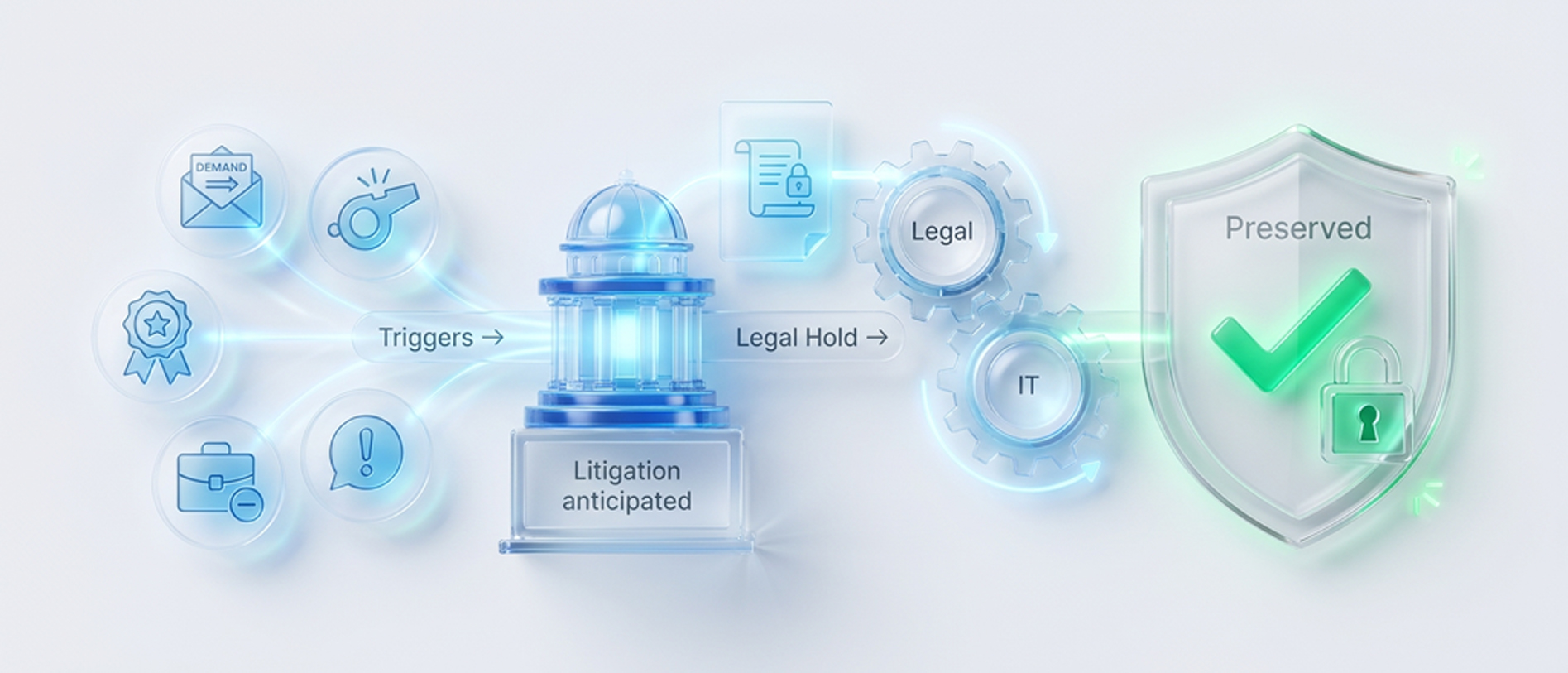
A legal hold is a documented process that preserves information when litigation is reasonably anticipated. It suspends routine deletion so that relevant data survives.The trigger matters more than the paperwork. The duty to preserve does not wait for a complaint to be filed, it begins the moment litigation becomes reasonably foreseeable.
That moment can be a demand letter, a credible verbal threat, or an internal event that signals a dispute. A terminated executive, a whistleblower report, or a regulator's inquiry can all start the clock. Once it starts, deleting relevant data becomes spoliation.
The moment you recognize that trigger, document it. Note what happened, when, and why it created a duty to preserve. That contemporaneous record shows a court you acted in good faith from the very start. Preservation is also a shared duty. Legal defines the scope, and IT executes it across systems. When those two functions work from the same instruction, holds actually hold. When they do not, gaps appear at the seams between departments.
This is why proportionality sits at the center of modern discovery. Federal Rule of Civil Procedure 26 limits preservation to what the matter actually needs. A defensible hold is precise, not infinite. You can explore the full preservation lifecycle in our guide to ESI and legal holds.
A legal hold is not the same as a retention policy. Retention policies manage data on a schedule. A hold overrides that schedule for a specific matter. Confusing the two remains one of the most costly mistakes in eDiscovery.
What a Legal Hold Notice Includes
A legal hold notice is the instruction that turns a preservation duty into action, telling named custodians what to keep and why. Without it, a hold exists on paper but not in practice. A defensible notice leaves nothing to interpretation, and each element below has a job that a court reads together as proof of a genuine effort.
1. The Matter and Its Scope
The notice names the dispute in plain terms and explains why preservation applies. Custodians who understand the stakes are far more likely to comply.
2. The Preservation Window
A strong notice fixes the date range and subject matter to keep. This keeps custodians focused on relevant content, not their entire history.
3. The Data Sources in Scope
The notice lists every place relevant data may live, including Slack, Teams, email, and shared drives. Naming the sources removes the excuse that chat never counted.
4. The Preservation Instruction
The notice states clearly that relevant content must not be deleted, edited, or moved. A custodian should never have to guess what the hold requires.
5. The Acknowledgment Request
Every notice should ask each custodian to confirm receipt and understanding. That confirmation becomes your evidence that the instruction landed with the right people.
The notice is only the first step. Legal hold requirements extend to tracking, reminders, and follow-through as custodians join or leave the matter. A legal hold policy makes that repeatable, defining who issues holds, how acknowledgments are tracked, and when holds are released. For the full five-phase lifecycle, from trigger to release, read our Legal Hold Best Practices guide.
Setting Up a Legal Hold Across Slack and Teams
Most organizations run both Slack and Teams, which means learning two preservation systems that behave differently. Neither is a single switch, and neither captures everything you might assume. The steps you follow, and the gaps each one leaves, decide how much of your chat data is truly protected. The two walkthroughs below cover how to create and edit a hold on each platform.
How to Create and Edit a Legal Hold in Slack
Slack offers native holds only on the Enterprise Grid plan. On any lower plan, there is no built-in hold at all. A member with the Legal Holds Admin system role places the hold, and a primary owner assigns that role. Slack holds are user based, so you preserve people, not channels.
Creating a Legal Hold
To create a hold, the admin works through the organization settings.
Step 1: Click the organization name in the sidebar.
Step 2: Open Tools and settings, then Organization settings.
Step 3: Select Security, then choose Legal holds.
Step 4: Click Create legal hold and give it a name.
Step 5: Choose the conversations and set a defined date range.
Step 6: Add the custodians and confirm the selection.
Step 7: Click Save to activate the hold.
Editing a Legal Hold
Editing a hold uses the same screen. The admin clicks the three dots beside the hold to change its name, description, or custodians. That menu also releases a hold when the matter closes, and reactivates it if the matter returns.
Once active, the hold preserves messages and files for every named custodian. It keeps that content regardless of retention settings, and even after a user edits or deletes it. One hold covers up to a thousand custodians, with no limit on the number of holds.
You can preserve every conversation a custodian touches, or narrow the hold to their direct messages. Broader scope captures more, but it also collects more noise. Match the scope to the matter in front of you.
How to Create and Edit a Microsoft Teams Legal Hold
A litigation hold in Office 365 takes more planning, because Teams data does not live in one place. Chats, channels, and files each sit in a different location, and you have to preserve the right one for each. Before placing a hold, map where each type is stored:
- Personal messages (one-to-one chats, group chats, and private channel messages) live in each user's mailbox.
- Standard channel messages live in the Microsoft 365 Group mailbox for the team.
- Shared files live on the team's SharePoint site.
Holds are configured in Microsoft Purview, and licensing decides your options. eDiscovery Standard ships with E3 and E5 plans and supports basic holds while custodian management, notifications, and analytics require eDiscovery Premium.
Creating a Legal Hold
A Compliance admin or Global admin creates the hold inside a case.
Step 1: Sign in to the Microsoft Purview portal.
Step 2: Open the eDiscovery solution and select Cases.
Step 3: Create a case with a name and description, then save.
Step 4: Open the Hold policies tab and select Create policy.
Step 5: Add data sources, naming the users, groups, or sites to hold.
Step 6: Choose an infinite or query-based hold, with an optional date range.
Step 7: Review the settings and apply the hold.
Editing a Legal Hold
To edit a hold later, the admin reopens the hold policy and adjusts its data sources or query. Once applied, the hold preserves content even after a user edits or deletes it, and both the original and the edited version of a message are kept.
Confirm the hold took effect before you rely on it. Purview lists every active hold and its data sources for review. A hold you never verified is a risk you cannot see, and changes can take time to apply across mailboxes.
Slack and Teams Holds Side by Side
On the surface, both holds look complete. Messages are kept, edits are kept, files are kept. The gaps sit at the edges, in the reactions, cross-org chats, and call audio that native tools quietly exclude, and those edges are where disputes are often won or lost.
.png)
The Challenges With Slack and Teams
A native hold clears only the lowest bar in discovery, because it keeps messages from deletion without ever revealing what it failed to capture. Those gaps stay invisible until opposing counsel asks for the one Slack Connect thread that the native tool never preserved. The eight challenges below are the ones that most often surface under scrutiny, long after a hold was placed and assumed to be complete.
1. Slack Locks Holds Behind Enterprise Grid
Native Slack holds are available only on the Enterprise Grid plan, which leaves every team on a lower plan without a built-in hold. Those organizations must preserve their data through manual exports or third-party tools, an approach that adds cost and risk to every matter.
2. External Slack Conversations Fall Outside the Hold
Messages and files shared in Slack Connect channels sit entirely outside a native hold and never preserved. Yet these are the exchanges with vendors, partners, and outside counsel, which often turn out to be the most revealing records in a case.
3. Reactions, Snippets, and Deleted Channels Vanish
A native hold skips emoji reactions and snippet version history, even though a single reaction can quietly signal approval or intent. Also, if a custodian deletes a channel under hold, every message and file inside it is gone for good.
4. Teams Scatters Evidence Across Locations
Teams stores its data across user mailboxes, group mailboxes, and SharePoint sites, so one conversation can span several places at once. Preserving it fully means holding each location, and missing even one leaves part of the record unprotected and exposed.
5. Core Teams Holds Miss Rich Content
The standard Teams tier does not preserve call audio, meeting recordings, code snippets, or reactions during a hold. These are increasingly where real decisions get made, so their absence leaves a partial and often misleading picture of events.
6. Deleted Accounts and Delays Open Loss Windows
A Team's hold must be applied before an account is deleted, or the departing employee's data can disappear. Retention changes can also take days to propagate, and both realities open quiet windows where evidence slips away unnoticed.
7. Neither Platform Issues or Tracks a Notice
Slack sends no custodian notice at all, and Teams automates them only within its premium tier. Without tracked notices, you cannot prove that custodians were ever instructed, and that proof is often what defensibility ultimately rests on.
8. Preserved Data Is Not Review Ready
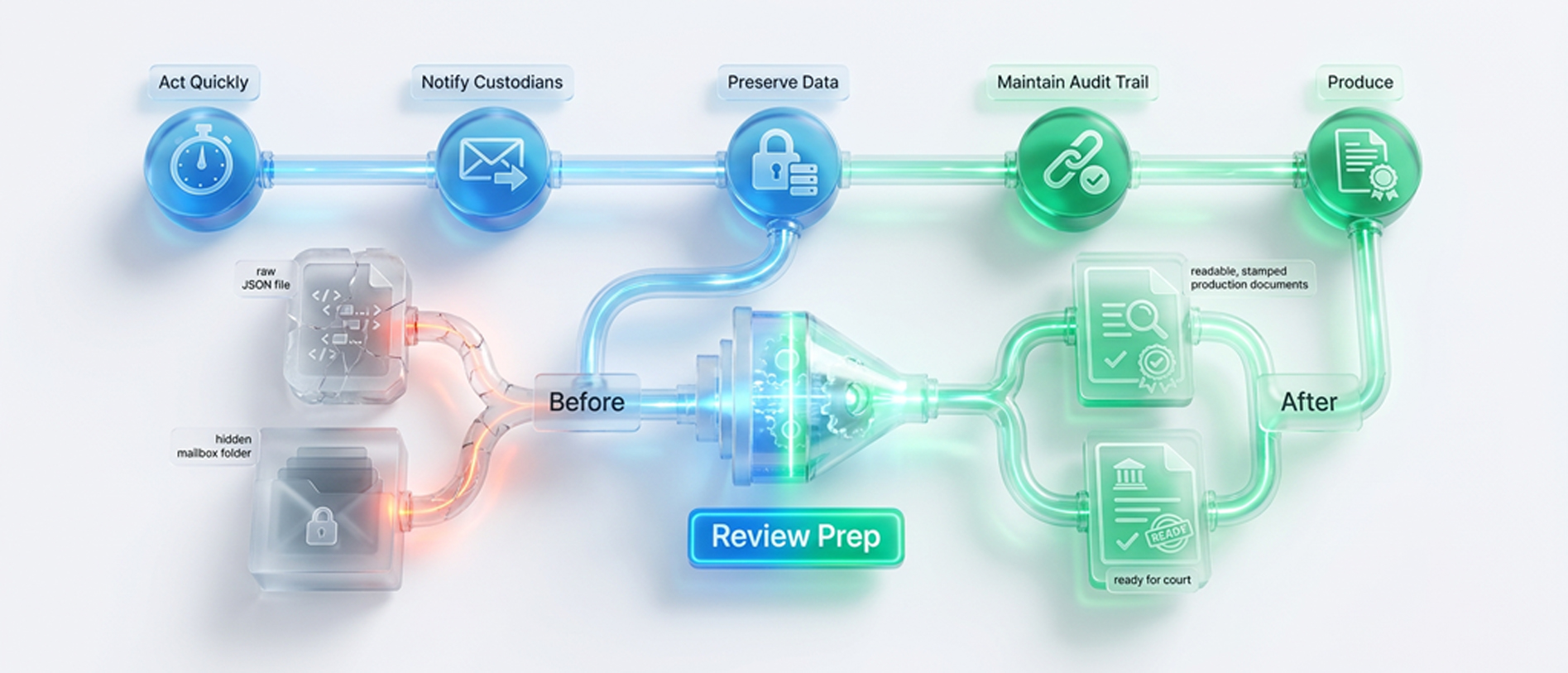
Slack data exports as raw JSON, while Team's data stays buried inside hidden Exchange folders after a hold. Neither format is readable or reviewable on its own, which means preservation, by itself, only ever does half the job.
What Makes a Legal Hold Defensible
When a preservation effort is challenged, a court does not ask whether you owned the right software. It asks a narrower set of questions, and your answers decide whether the hold survives. These four questions separate a defensible hold from a hopeful one.
1. Did You Act in Time?
The duty attaches when litigation becomes foreseeable, not when the complaint arrives, so a hold placed weeks late is already leaking data. Courts look closely at the gap between the trigger and the hold, and they read a short gap as a clear sign of diligence.
2. Can You Prove It?
A hold you cannot document barely counts because defensibility depends on notices sent, acknowledgments tracked, and scheduled reminders proving compliance. The organization that can show its work in detail is almost always the one that walks away clean.
3. Did You Capture What Mattered?
Preserving standard messages while Slack Connect threads, reactions, and Teams call audio slip away is a hold with holes in it. Knowing each platform's blind spots before a matter begins is what turns a partial hold into a genuinely complete one.
4. Can You Actually Produce It?
Data frozen as raw JSON or buried inside Exchange folders is technically preserved but not usable in any practical sense. A hold that cannot become a defensible production has quietly failed the real purpose it was created to serve.
Venio Legal Hold Software and Venio ECA are built to answer all four questions. Keeping the hold, the collection, and the review connected so nothing breaks in the handoffs between them. The chain of custody stays intact from the first preservation notice through to the final review.
The Question That Decides the Case
Every eDiscovery dispute eventually narrows to a single question, asked in a deposition or a sanctions motion, about one message someone wishes had been preserved. The organizations that answer it well are rarely the ones with the most tools, but the ones who decided how they would handle collaboration data before they ever needed to. The rest are left reconstructing intent from fragments and explaining, after the fact, why the record has gaps a court can see.
Chat is now where the decisions that end up in court actually get made, and preservation is no longer an afterthought that IT can bolt on later. Under Federal Rule of Civil Procedure 37(e), the harshest sanctions turn on whether a party intended to deprive its opponent of evidence, and careless preservation is how good organizations drift toward that finding. The discipline you build today is what keeps that question from ever becoming a crisis.
A defensible legal hold is the difference between walking into discovery with proof and walking in with an apology for what went missing. Book a demo today to see how Venio turns that certainty into a single, repeatable workflow across Slack, Teams, and every source that matters.
Frequently Asked Questions
What is a legal hold?
A legal hold is a process that preserves potentially relevant information once litigation is reasonably anticipated. It suspends routine deletion for a specific matter. It is also called a litigation hold.
Does Slack have a native legal hold?
Yes, but only on Enterprise Grid. A member with the Legal Holds Admin role can preserve messages and files for specific custodians. Lower Slack plans have no native hold.
How do you place a litigation hold in Office 365 and Teams?
Holds are configured in Microsoft Purview. Create a case, create a hold policy, and add the users, groups, or sites as data sources. Private channel messages require holding the participants' mailboxes.
What should a legal hold notice include?
A clear preservation notice identifies the matter, the time frame, the data sources, and the custodians. It should be acknowledged, tracked, and reissued as the matter changes.
Are Slack and Teams messages discoverable in litigation?
Yes. Courts treat collaboration data like any other ESI. Failure to preserve it can lead to sanctions, including default judgment in severe cases.
Related Articles

What is eDiscovery Software?
In a world where business communication is overwhelmingly digital, these trails
Read Article
4 Proven Ways to Control eDiscovery Costs in Any Legal Case
eDiscovery continues to rank among the top cost drivers for legal departments,
Read Article
Discovery Objections: A Comprehensive List and How to Succeed
During the discovery process, an attorney attempts to obtain
Read Article