7 Pitfalls to Avoid While Integrating an eDiscovery Collection Tool
Ready to get started?
built for clarity, control, and scale.
Share
The sanctions order didn't come because the review team missed a hot document. It came because the wrong files were collected in the wrong way, and by the time anyone noticed, the metadata was gone, the chain of custody was broken, and opposing counsel was already filing a motion.
If you work in eDiscovery, this scenario is not hypothetical. Courts have found litigants liable for collection failures more often than for any other phase of the discovery process. And those failures increasingly trace back to one root cause: an ediscovery collections tool that wasn't properly integrated with the data sources, workflows, and platforms it needed to connect with.
ESI collection is where the EDRM begins in earnest. It is also where most downstream disasters are baked in silently, invisibly, and usually irreversibly. You can fix a bad search query. You can re-run a flawed review. You cannot uncorrupt metadata or recreate a chain-of-custody eDiscovery protocol that was never established.
This guide identifies the seven most common integration pitfalls that derail eDiscovery collections and provides a practical framework for avoiding them before your next matter goes live.
Why ESI Collection Is the Most Dangerous Stage in eDiscovery
In the Electronic Discovery Reference Model (EDRM), ESI collection sits between preservation and processing. It sounds like a middle-step routine, even mechanical. In practice, it is the most consequential handoff in the entire workflow.
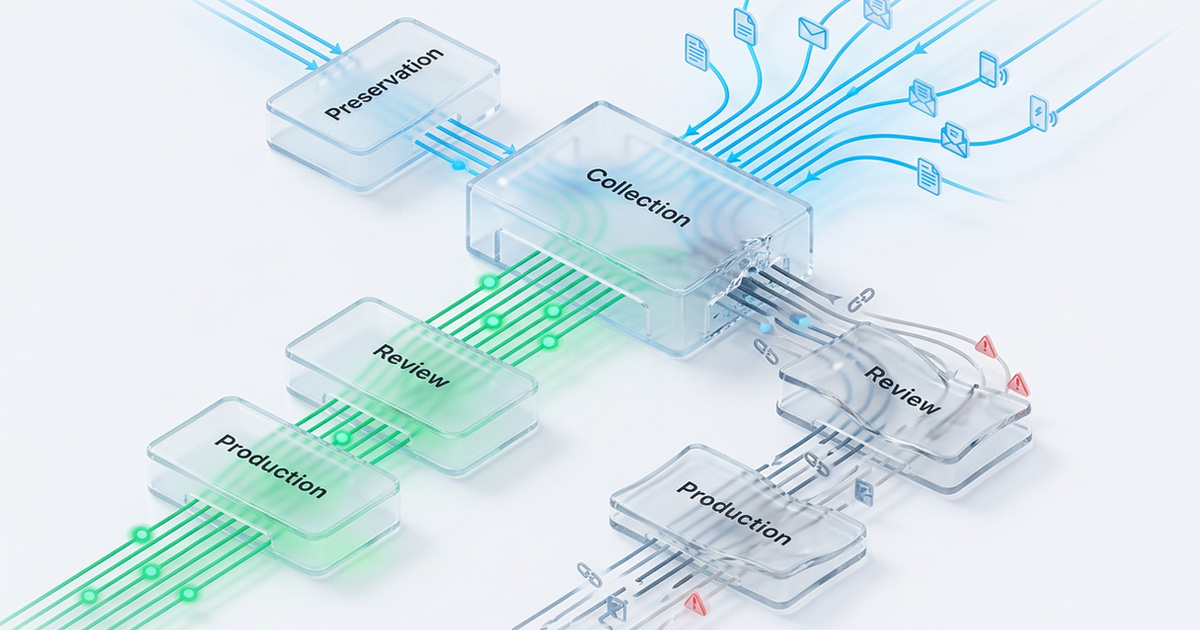
Every downstream phase depends on what the collection gets right. Processing can only work with what the collection delivers. Review can only surface what processing didn't destroy. Production can only include what survived both.
A corrupted collection doesn't just create a problem at step three, it creates a cascading failure that makes every subsequent step less defensible, more expensive, and harder to explain to a judge.
What "Integration" Actually Means in an eDiscovery Collections Tool Context
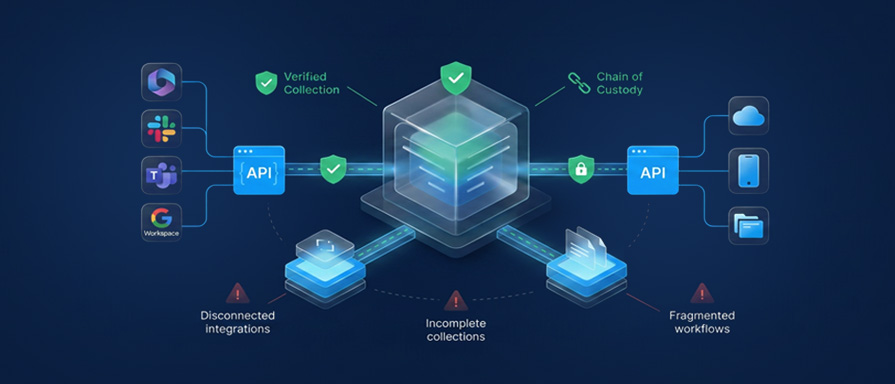
When practitioners talk about an ediscovery collection tool, they often mean the platform used to identify and pull potentially relevant ESI from custodian systems. But "integration" means something more specific: how that tool connects to and communicates with every data source it needs to touch: email servers, cloud storage, collaboration platforms, mobile devices, document management systems, and how it hands off collected data to processing and review platforms on the back end.
A tool that collects brilliantly from one source but fails at the handoff to your review platform isn't an integrated solution. It's a gap disguised as a feature.
ESI Collection vs. Preservation: A Costly Confusion
These two terms are frequently conflated, and the confusion is expensive. Preservation is the act of preventing data from being deleted or modified, typically through a legal hold. ESI collection is the separate, affirmative act of gathering data to preserve it for processing and review.
A legal hold does not mean the data has been collected. That distinction matters enormously when courts ask whether a party acted in a timely and defensible manner.
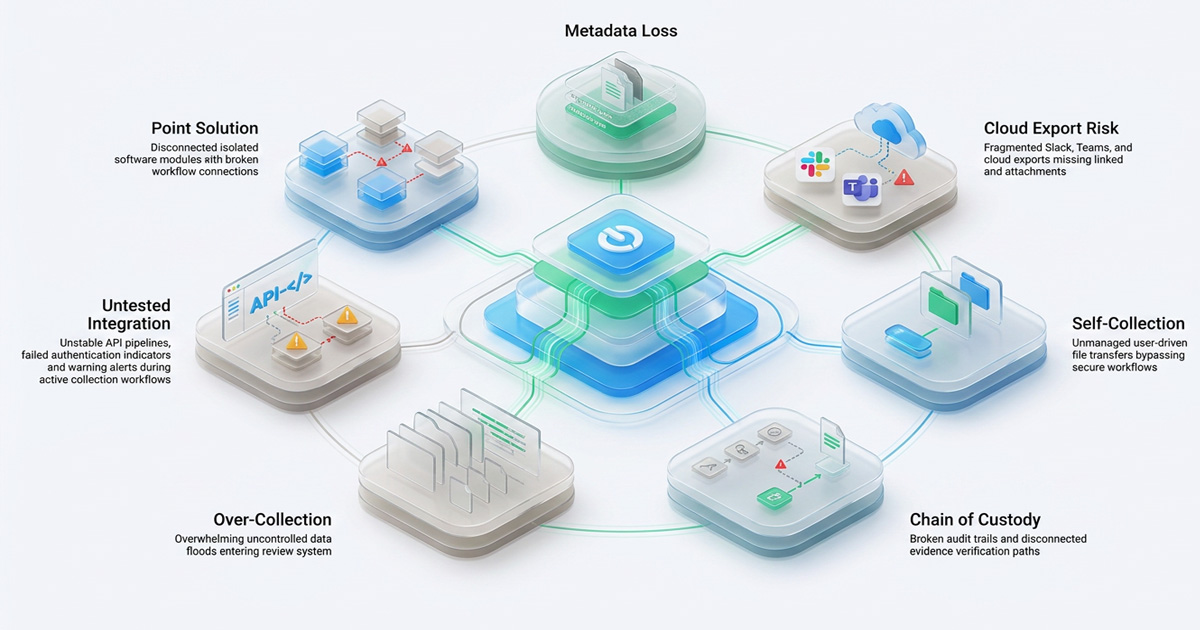
1. Treating Your eDiscovery Collections Tool as a Point Solution
The most seductive mistake in eDiscovery technology purchasing is evaluating a collection tool in isolation. A tool that earns glowing reviews for pulling Microsoft Exchange data can be completely incompatible with the review platform your firm or legal department uses, creating a format gap that requires costly manual conversion, introduces metadata risk, and adds days to every matter.
The integration test is not "can this tool collect from X?" It is "can this tool collect from X, Y, and Z and deliver the output in a format that our processing and review platform can ingest without transformation?" Those are two very different questions, and most RFP processes ask only the first.
The fix: Before any tool evaluation, map your full collection ecosystem: every data source you've collected from in the last three years, every platform that receives collected data downstream, and every format handoff between them. Evaluate your ediscovery collections tool against that complete map, not against a single data source in isolation.
2. Ignoring Metadata Preservation at the Integration Layer
Metadata is the legal nervous system of eDiscovery. It tells you who created a document, when it was modified, who sent it, where it lived in the file system, and whether it was ever touched after a legal hold was issued. Without it, you don't have evidence - you only have a file.
Metadata preservation failures during collection integration are both common and invisible until they become catastrophic. They don't announce themselves, they surface when opposing counsel files a spoliation motion, and you realize you can't prove who touched what or when.
How Everyday Actions Destroy Metadata During ESI Collection
The most common culprits are actions that seem perfectly reasonable to a non-technical user:
- Drag-and-drop file copying from a custodian's desktop to an external drive doesn't preserve OS-level metadata. The "date created" field in the copied file reflects the day of the copy, not the day the document was made. That timestamp discrepancy can undermine your entire timeline argument.
- Renaming files manually before ingestion overwrites custodian path data that reconstruction tools use to establish origin and ownership. A file renamed from "contract_FINAL_v3_JSmith.docx" to "document1.docx" has lost its organizational and authorship context.
- Converting native files to PDF before upload is often necessary because an older ediscovery collections tool only accepts limited file types - strips fields like author, modification history, and custodian name. Forensic practitioners call this creating a "new digital object" with misleading provenance: the PDF carries a new creation timestamp and none of the original file's evidentiary fingerprints.
- Downloading email attachments outside their native container breaks the threading and relationship metadata that makes them meaningful in review. An attachment without its parent email loses context; a chain of related messages processed individually loses its narrative.
What Proper Metadata Preservation Requires From Your Collection Tool
At the integration layer, the question to ask is not whether your ediscovery collections tool handles metadata, but which metadata fields it preserves across which data sources, and whether that preservation survives every handoff to downstream processing.
The fix: Before connecting any data source, request your vendor's written metadata specification. Verify that every field required for your matter: custodian, date sent, date modified, file path, parent-child relationships, and hash values is preserved end-to-end from ESI collection through final ingestion. If you cannot get that documentation, that is itself your answer.
3. Assuming Native App Exports Satisfy Cloud Data Collection Requirements
Every major cloud platform offers some form of native export feature. Microsoft 365 has it. Slack has it. Google Workspace has it. And for years, legal teams treated these exports as the path of least resistance, a quick & free alternative to third-party cloud data collection tools.
The problems with native exports aren't edge cases. They are structural.
The Microsoft 365 Migration Problem That's Still Catching Teams Off Guard
Microsoft retired all Classic eDiscovery experiences - Classic Content Search, Classic eDiscovery (Standard), and Classic eDiscovery (Premium) on August 31, 2025. Legal teams that built workflows around those legacy tools woke up in September 2025 to broken integrations and missing capabilities.
The modernized platform requires migration to a unified, case-centric architecture. The Microsoft Graph APIs for Standard eDiscovery only became generally available in November 2025.
The teams that struggled most were those that had integrated their ediscovery collections tool workflows with Microsoft's classic interfaces and never built a fallback. The lesson is blunt: vendor-supplied native export tools are not infrastructure. They are features, features that platforms can retire, modify, or gate behind new pricing tiers without notice.
Where Cloud Data Collection Breaks Down in Slack and Teams
Slack's self-service export has documented scope gaps that matter enormously in litigation. Free-tier organizations can only access the 10,000 most recent messages in a workspace and export only public channel data.
Private channels and direct messages are often the most legally material communications in any matter, and are excluded unless the organization has the right subscription tier and a valid legal process or user consent. Even then, the Slack API is complex enough that non-technical users risk collecting an incomplete dataset that they believe is complete.
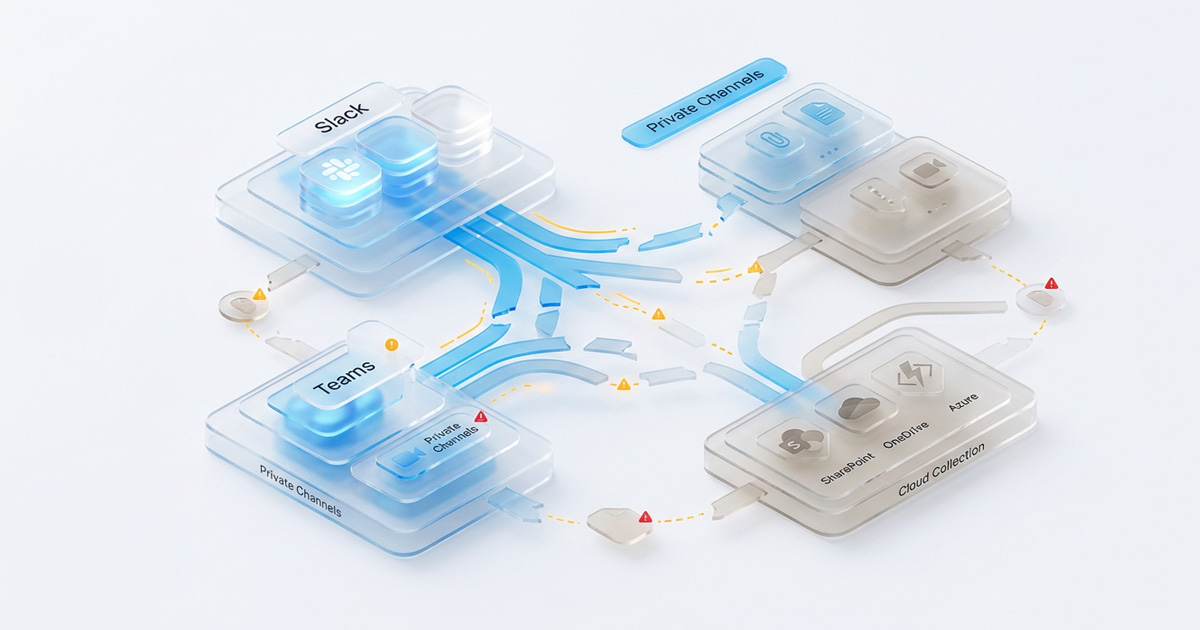
Microsoft Teams compounds the cloud data collection challenge by distributing data across multiple backend services: SharePoint, OneDrive, and Azure, meaning a single Teams "export" can silently miss attachments, meeting recordings, or channel posts stored in connected applications. Bulk exports routinely trigger Microsoft's throttling controls, adding hours or days of delay to collections that teams assumed would be instantaneous.
The fix: For any collaboration platform, such as Slack, Teams, Google Workspace, Zoom, validate your ediscovery collections tool's connector against actual custodian data in a sandboxed environment before a live matter. Confirm private channel access, attachment collection, and message threading preservation. Verify the tool uses an API-level connection rather than a bulk export to avoid throttling and scope gaps that are invisible until re-collection is the only option.
4. Letting Custodians Self-Collect Without Forensic Oversight
Self-collection, allowing custodians to gather and submit their own potentially relevant data, has a seductive logic. It saves time. It saves vendor cost. It puts people who know the data in charge of finding it.
Courts are not impressed.
In EEOC v. M1 5100 Corp., the court stated explicitly that "attorneys have a duty to oversee their client's collection of information and documents, especially when ESI is involved," because "self-collection by a layperson is highly problematic and raises a real risk that data could be destroyed or corrupted." That language has been echoed in subsequent decisions.
The risk is not theoretical. A custodian who drags files to a shared drive has altered metadata. A custodian who forwards emails to a collection address has broken message threading. A custodian who "thinks" they found everything relevant has no audit log to prove it.
The integration dimension here is often overlooked: if your ediscovery collections tool doesn't have a workflow that allows supervised, documented, auditable collection from a custodian's environment, with hash verification and chain of custody eDiscovery logging built in, then it is not equipped for defensible self-collection, regardless of how the brochure describes it.
The fix: If self-collection is operationally necessary, use a hybrid model: the custodian performs the physical collection while a qualified professional observes in real time via screen-share, confirms the settings, and documents the process.
One hour of forensic oversight prevents weeks of re-collection later. Better still, use agent-based ESI collection software that runs in the background, is invisible to the custodian, and generates a complete, tamper-evident audit trail automatically.
5. Neglecting Chain of Custody eDiscovery Requirements
Chain of custody in eDiscovery is not a formality. It is the mechanism by which you prove that the data you collected is the same data you're producing that it hasn't been altered, added to, or deleted between the moment of collection and the moment of review. Without it, opposing counsel has ammunition. With it, you have a defense.
How Chain of Custody eDiscovery Logging Actually Works
A properly functioning ediscovery collections tool establishes an unbroken chain of custody by generating a cryptographic hash, typically MD5 or SHA-256, at the time of ESI collection. That hash is a digital fingerprint of the data at the time of collection.
If the data is altered in any way after collection, the hash changes, and the alteration is detectable. The audit log records who collected what, from where, at what time, and by which method, and it must be tamper-evident and exportable.
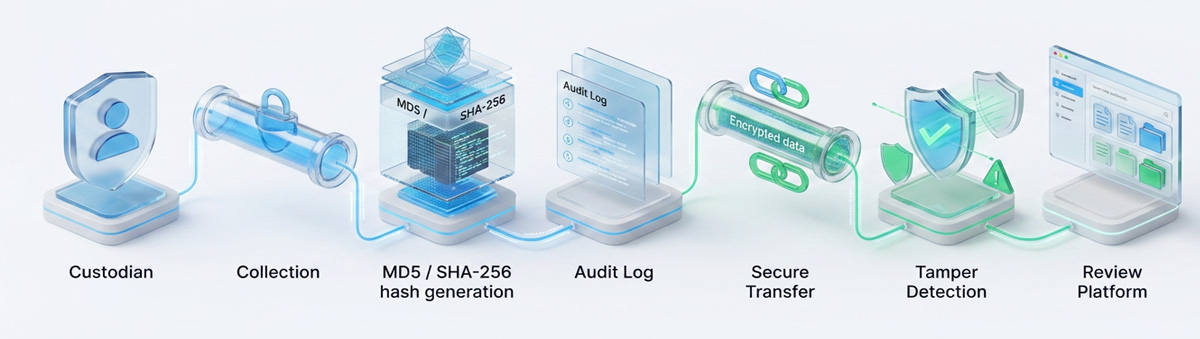
Many collection tools advertise audit logging as a feature. Fewer make it the default. And in integrations that pass data through multiple systems - from collection tool to processing platform to review environment - chain-of-custody eDiscovery protections can be silently broken at each handoff if platforms aren't designed to maintain and transmit hash values throughout the pipeline.
The fix: Require that any e-discovery collections tool you evaluate generate hash values at collection and maintain them through processing. Request a sample chain-of-custody report from the vendor before signing the contract. If they can't produce one on demand, their tool doesn't produce one in production, and that is a deal-breaker.
6. Over-Collecting Because the Integration Has No Culling Layer
There is a tempting safety logic in over-collection: if in doubt, collect everything and let review sort it out. This logic is expensive, disproportionate, and under the Federal Rules of Civil Procedure, potentially sanctionable in the other direction.
FRCP Rule 26 requires that discovery be proportionate to the needs of the case. Collecting terabytes of data when hundreds of gigabytes would have sufficed is not a defensible strategy, it is scope creep engineered into the collection architecture. And when an ediscovery collections tool integrates with cloud platforms holding years of data from hundreds of custodians, the default behavior without built-in culling filters is to pull everything.
Properly applied collection-level culling: date-range filters, custodian scoping, keyword filtering, and deduplication at the point of ingestion can reduce a dataset by up to 9% before it ever reaches review. That means 90% lower processing costs, 90% lower review costs, and 90% lower exposure to inadvertent privilege waivers in production.
A cloud data collection integration without a culling layer is not more thorough. It is more expensive, less proportionate, and harder to defend in a proportionality challenge.
The fix: Require that your ediscovery collections tool integration include configurable culling at the point of data ingestion: date-range scoping, custodian-level targeting, keyword pre-filtering, and near-deduplication. These should be documented, auditable settings, not post-hoc manual adjustments made after the data has already been transferred.
7. Not Testing the Integration Before a Live Matter
Every integration works in the demo. The connector authenticates cleanly. The metadata fields all appear in the sample ingestion report. The chain of custody eDiscovery log generates on cue. And then a real matter arrives, and the authentication token expires mid-collection, the platform throttles the API call at 3 AM, or the format the ediscovery collections tool exports is not quite what your review platform expects.
Integration testing is not optional, it is the insurance policy that keeps a technology problem from becoming a legal problem. Yet most organizations only discover their integration gaps when a live matter is already running under a court-ordered deadline.
The fix: Before using any ediscovery collections tool integration in a live matter, run a complete dry-run collection from every data source the integration will touch. The goal is to test the entire pipeline end-to-end: authentication, data transfer, metadata integrity and preservation, format handoff, and audit log generation. Document the results. Fix what breaks. Run it again. This is not an IT task, it is a legal defensibility task, and it belongs in your matter preparation protocol.
The eDiscovery Collection Tool Integration Checklist: 10 Things to Verify Before Going Live
Before connecting your ediscovery collections tool to any production data source, walk through every item on this checklist.
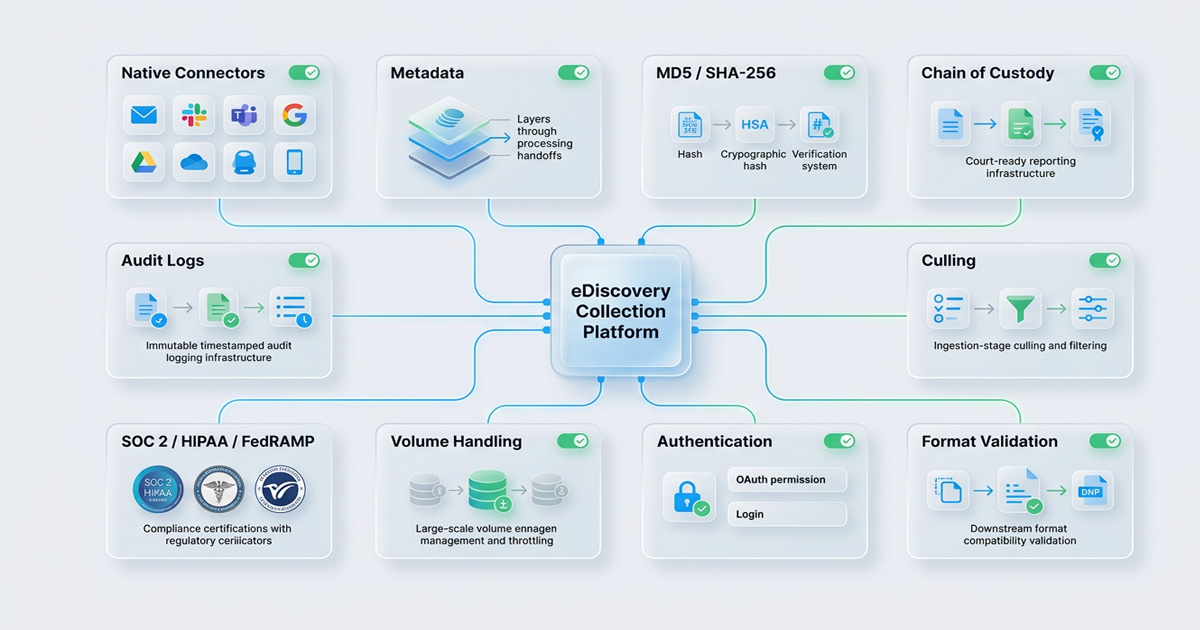
1. Data Source Coverage: Does the tool have a native connector, not a manual export workflow, for every source relevant to your matter? (Email servers, cloud storage, Slack, Teams, Google Workspace, mobile devices, document management systems.)
2. Metadata Preservation Specification: Has the vendor provided written documentation confirming which metadata fields are preserved per data source, and how metadata preservation holds through every handoff to processing?
3. Hash Verification at Collection: Does the tool generate MD5 or SHA-256 hash values at the point of ESI collection, and does it transmit those values with the data to downstream platforms?
4. Chain of Custody eDiscovery Reporting: Can the tool produce a court-ready, tamper-evident chain-of-custody report on demand, before you need it in litigation?
5. Culling Capability at Ingestion: Can you configure date-range scoping, custodian targeting, and keyword filters before collection begins, not after the data has already been transferred?
6. Downstream Format Compatibility: Has the tool's export format been verified against the specific ingestion requirements of your review and processing platform?
7. Authentication and Permissions Testing: Have all API authentications, OAuth tokens, and permission scopes been tested for every data source, including private channel access for cloud data collection from collaboration platforms?
8. Throttling and Volume Handling: Has the integration been tested at the actual data volumes expected in your matters? A tool that handles 50GB cleanly may timeout at 5TB.
9. Compliance Certifications Does the tool hold the certifications required for your data environment (SOC 2 Type II, HIPAA for healthcare matters, FedRAMP for government)?
10. Audit Logging as Default: Does every collection event, what was collected, by whom, from which source, at what time, generate an immutable, timestamped audit log entry that is exportable and admissible?
What Makes an eDiscovery Collections Tool Integration Defensible in 2026?
The landscape shifted substantially in 2025. Microsoft's retirement of Classic eDiscovery experiences in August 2025, the November 2025 general availability of Graph APIs for Standard eDiscovery, and the continued explosion of cloud data collection requirements across Slack, Teams, and Google Workspace have raised the baseline for what "defensible" means at the collection stage.
In 2026, a defensible ediscovery collections tool integration is one that:
- Connects directly to data sources via API, not through manual exports that introduce human error and break metadata preservation
- Preserves near-native format throughout the ESI collection, processing, and review pipeline
- Generates and transmits hash values and audit records automatically, not on request
- Has been tested against the specific platform versions and data volumes of your actual matters, not vendor sandbox conditions
- Supports proportionate, targeted cloud data collection from the moment of custodian scoping, not as a post-collection triage exercise
- Maintains a verifiable chain of custody eDiscovery documentation from the moment of first touch to the moment of production
That last point is the test that matters most. Defensibility at the collection stage is not a feature. It is a provable, documented, reproducible chain of evidence, from the moment your ediscovery collections tool first touches a custodian's data to the moment production lands in opposing counsel's inbox.
The platforms that get this right treat integration not as a technical specification, but as a legal standard. The difference is not just in the audit log. It is in the outcome when a motion to compel arrives.
Defensible eDiscovery Starts at Collection
The ESI collection phase is where eDiscovery cases are won and lost, not in the courtroom, but in the quiet moment when a tool connects to a data source and begins pulling files. Get that moment wrong, and the consequences compound through every phase that follows: corrupted metadata, broken chain of custody eDiscovery protections, inadmissible evidence, unnecessary sanctions, and runaway review costs.
The fix starts with how you evaluate, configure, and test your ediscovery collections tool integration before any matter goes live. Use the 10-point checklist in this guide. Test every connector. Demand the metadata preservation specification. Generate the chain-of-custody report before you need it in court.
Because in eDiscovery, the first step is the one you can't undo.
Venio Systems helps law firms, corporations, and government teams streamline defensible eDiscovery workflows with integrated collection, processing, review, and production capabilities built for modern data environments.
If you're evaluating your current collection workflow or preparing for increasingly complex cloud-based matters, explore how Venio can help reduce collection risk before it becomes a litigation problem. Contact us today.
Related Articles
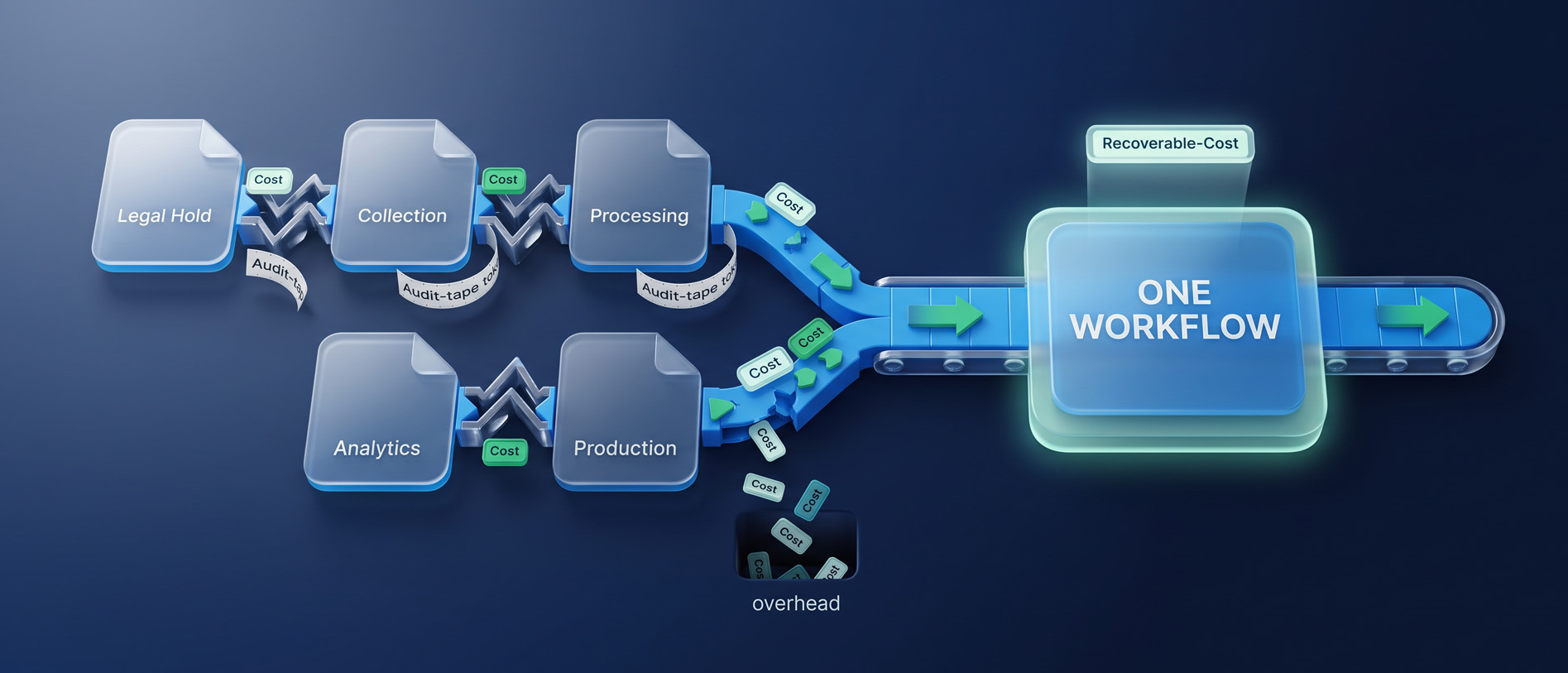
Consolidating Your eDiscovery Stack Without Disrupting Active Matters
How to consolidate eDiscovery tools without disrupting live matters, and why a f
Read Article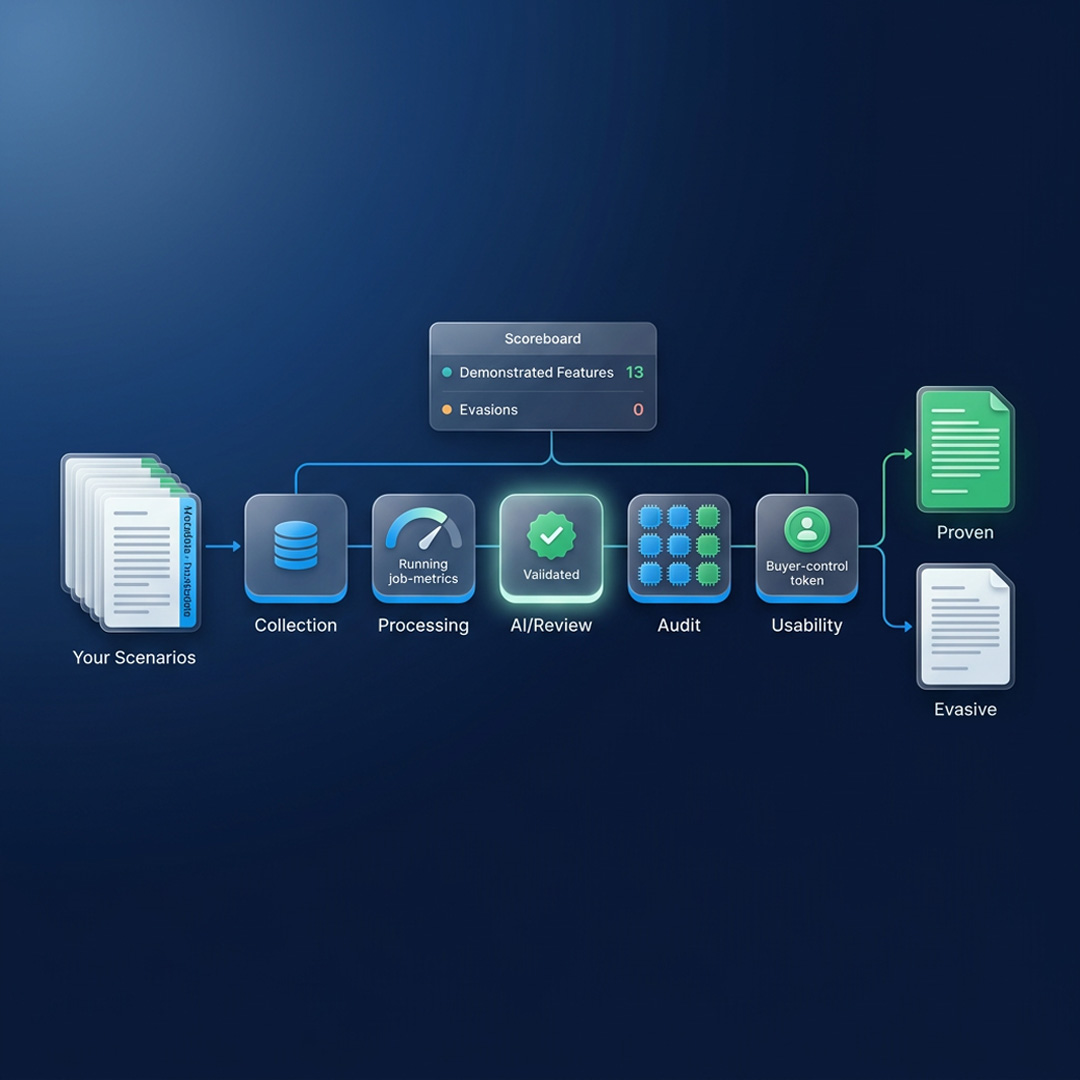
What to Ask in an eDiscovery Demo Before You Sign
Twenty questions that make an eDiscovery vendor prove processing, AI, security a
Read Article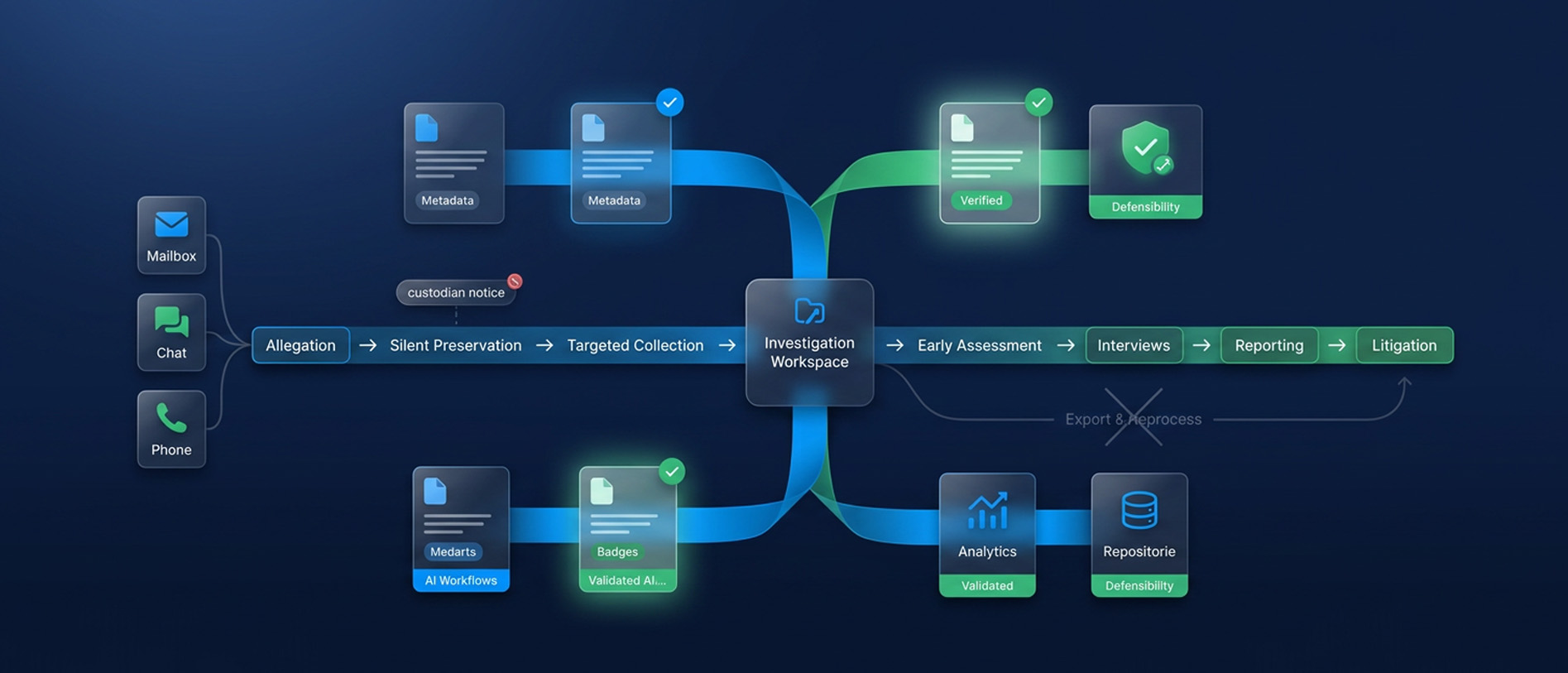
Internal Investigations: Getting the Facts Without Blowing the Matter Open
An internal investigation offers no court schedule and no second chance at prese
Read Article