What to Ask in an eDiscovery Demo Before You Sign
Ready to get started?
built for clarity, control, and scale.
Share
A single litigation matter can now hold more evidence than an entire firm handled a decade ago. Every email, chat thread, mobile export and cloud file lands on whichever eDiscovery platform you license. That platform is about to audition for years of your matters, in one carefully rehearsed hour.
The right eDiscovery demo questions expose the difference between a platform that performs and one that produces. The wrong ones buy whichever vendor rehearsed best, a mistake you will relive on every deadline. Deadlines are exactly what this purchase carries, along with privilege, sanctions exposure and your review budget.
Choose wrong, and you fund a slow processor, an unexplainable AI and a support queue. Choose well, and review hours shrink, productions land on time and every decision survives a challenge. This blog post gives you the context first, then twenty questions to ask in an eDiscovery demo.
The eDiscovery Process Your Platform Must Run
Formal frameworks describe eDiscovery as a sequence that runs from identification and preservation through to production. The Electronic Discovery Reference Model, or EDRM, maps those stages and remains the industry's shared vocabulary. Every demo you sit through will walk some portion of that same map, knowingly or not.
Data enters the funnel from email servers, laptops, phones, Slack, Teams and dozens of cloud applications. Dedicated eDiscovery collection software gathers that material, and processing then filters and normalizes it for review. Reviewers then search, tag, redact and produce whatever documents manage to survive the earlier culling stages.
Review is where most of the money goes, which is why AI now shapes so many buying decisions. Predictive coding eDiscovery workflows and TAR, or technology assisted review, promise fewer reviewer hours without sacrificing recall. Modern document review software leans on those models heavily, so their behavior deserves close scrutiny.
eDiscovery data security runs underneath every stage, because discovery data is often an organization's most sensitive material. Courts also expect a defensible process, with every action on every document traceable on demand. A platform demo is where that whole context becomes concrete, and every question below maps back to it.
Why the Demo Stage Exists
By the time most legal teams reach demo season, a handful of similar-sounding finalists remain. Each one claims comparable throughput, comparable AI and comparable security in their polished written answers. On paper they all sound interchangeable, because an RFP response can describe any workflow convincingly.
A live demo has to run a workflow in front of you, with no script to hide behind. That difference is the entire reason this stage exists, and exactly what most demos avoid. Left to the vendor's script, you get curated data, rehearsed clicks and the features that photograph best.
Processing finishes instantly because the dataset was processed last week, and the AI finds a familiar smoking gun. You leave knowing how the vendor performs on stage, rather than how the platform actually behaves. The sixty to ninety minutes ahead exist so you can take that script away and gather proof.
What a Demo Proves That Paper Cannot
A written evaluation and a live demo answer different questions, and mixing them up wastes both. Paper handles disclosure, so pricing structures, certifications, ownership and roadmap commitments belong in a written RFP. Spending live minutes on recited certifications wastes the one thing paper can never give you.
That one thing is behavior, which no written vendor response can capture with any real honesty. Only a live session shows how the platform handles messy data and how many clicks tasks take. It also shows what the AI does when it is wrong, which matters more than highlights.
Most tellingly, a demo shows how the vendor responds the moment you step off their script. So the questions to ask in an eDiscovery demo all make one demand, show rather than tell. If any of them gets answered with a slide, ask it again with the word live in it.
Set the Agenda Before the Demo Starts
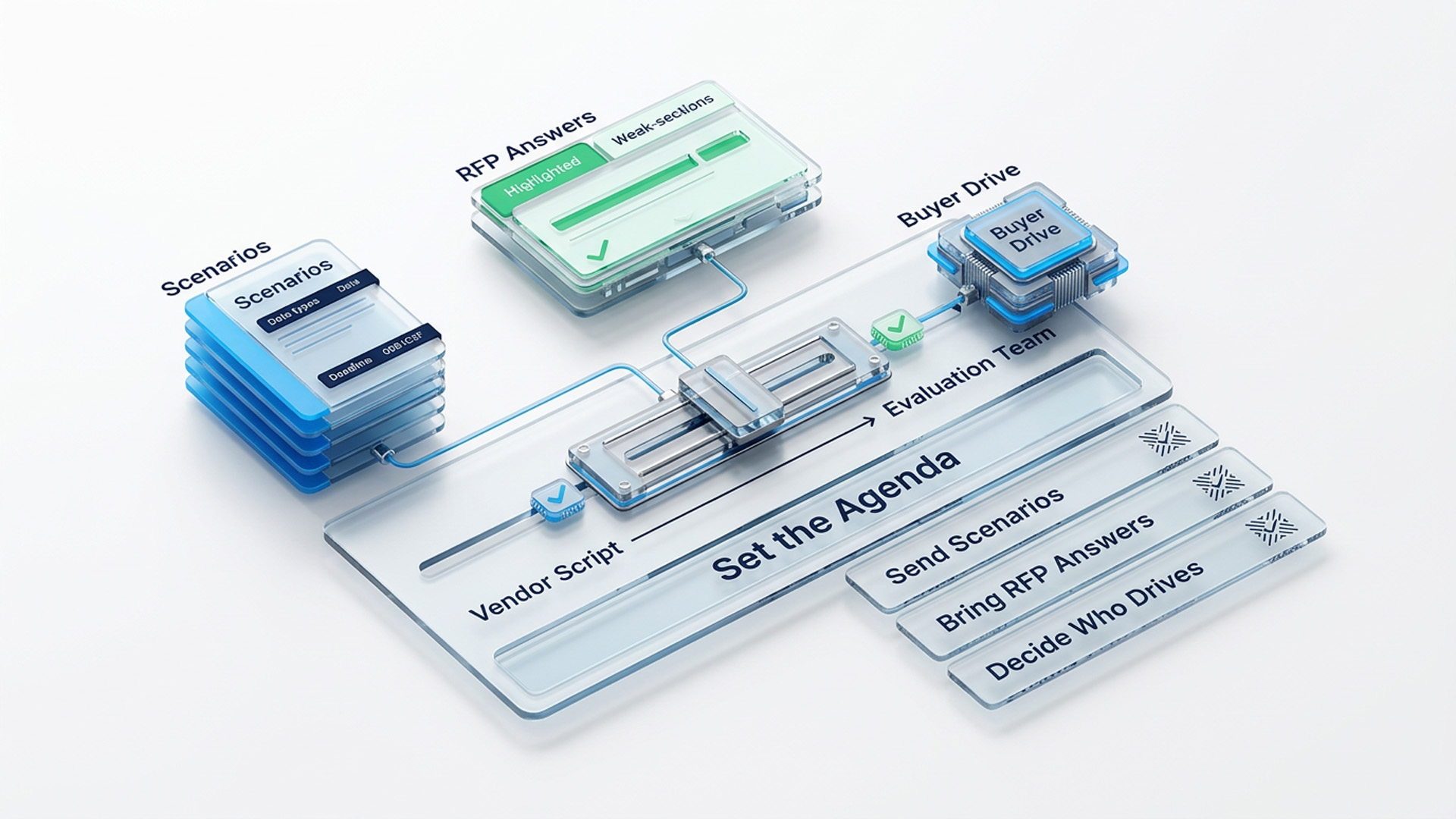
Three preparations turn a vendor's product tour into your evaluation, and all three happen before the call. Each one shifts control of the session away from the vendor's script and toward your matters. None of them takes more than an email or a short planning call to arrange properly.
- Send Your Scenarios in Advance: Give the vendor two or three real workflows, anonymized if needed, with data types, volumes and deadlines. A vendor who resists demoing your scenarios has already answered a question you had not asked.
- Bring Your Written Answers: If you run an RFP, make each vendor address their two weakest written sections live on screen. The session stops being a guided tour and becomes something much closer to a cross-examination.
- Decide Who Drives: At least one segment should be driven by someone on your team, ideally your least technical user. The reasons for handing over the keyboard get their own category further down this list.
If you have not defined requirements yet, do that before any demo lands on the calendar. Our guide on how to write an eDiscovery RFP walks through every step of the written stage.
The 20 eDiscovery Demo Questions to Work Through
The twenty asks below fall into six categories, each phrased as something you should watch happen. They are numbered one through twenty so your team can reference them quickly during a live session. Every category closes with what evasion looks like, because how vendors dodge is often the real answer.
Processing That Touches Real Data
Ask the vendor to process realistic data while you watch, because processing is where deadlines are won. Demo datasets are small, clean and pre-processed, which is the exact opposite of your matters. The four tasks in this category force the processing engine to meet something resembling reality.
- Process a sample of realistic, mixed data live, showing current job metrics as it runs on screen. Benchmark claims recorded in some other environment do not count as an answer to this request.
- Ask for the exception report, and watch what happened to corrupt, password-protected and unsupported files. Then have the vendor demonstrate on screen exactly how remediation of those failed files actually works.
- Load a Slack or Teams export and watch how conversations render inside the review interface. Those threads should read like actual conversations, not like a thousand disconnected one-line documents in a list.
- Trace one custodian's data from collection to review on screen, without leaving the platform you are buying. A quiet handoff into separate eDiscovery collection software is an answer worth writing down immediately.
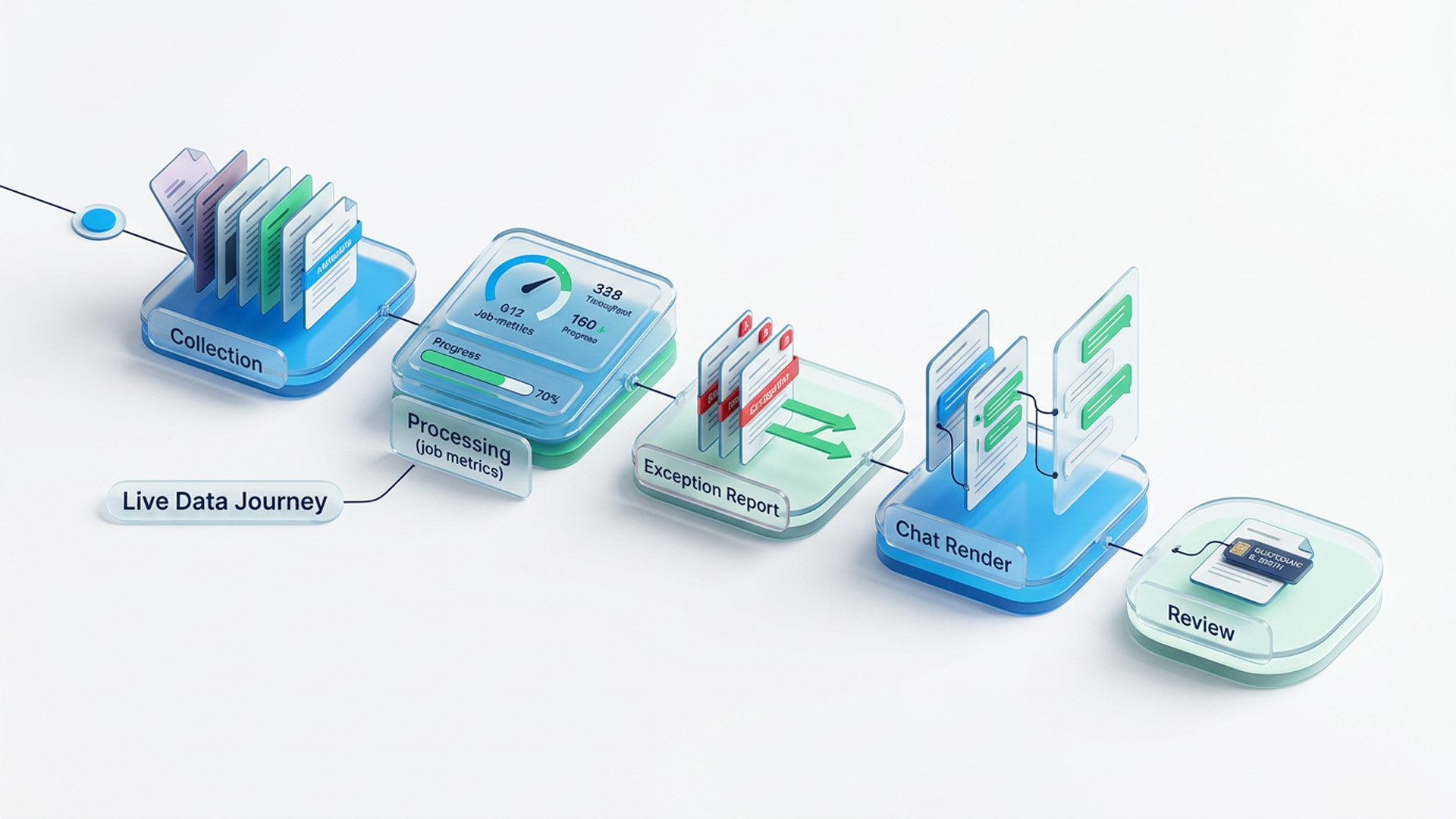
What Evasion Looks Like: The vendor quotes terabyte throughput numbers while nothing is actually running anywhere on the screen. Exception handling gets explained but never shown, and failed files trigger a sudden change of subject.
Review, AI and TAR Under Stress
Watch the AI be wrong rather than right, because wrongness is where the machinery shows itself. The eDiscovery review platform is where spend concentrates, and AI eDiscovery software is where demos get theatrical. Any technology assisted review model looks brilliant on the data it was tuned against last quarter.
The way through the theater is to watch the model work, especially at its failure points. Our primer on technology assisted review explains what genuinely defensible validation of these models involves.
- Run TAR or predictive coding on a sample set, then walk through the validation outputs together. Recall estimates and elusion testing should appear on the screen as numbers rather than adjectives.
- Show a reviewer overriding an AI call, then show where the platform logs that human override. The log should also reveal how each override feeds back into the model's next iteration.
- Ask which of the AI features you just watched are native and which are third-party plugins. Then have the vendor demo the exact boundary a reviewer crosses between those two worlds.
- Redact a spreadsheet and a chat thread natively, live, without converting either document into an image. Wholesale conversion to images before redaction tells you something important about the underlying review layer.
- Walk one document through the privilege workflow end to end while everyone watches the screen. That path should run from the first flag to the log entry to demonstrate protection from production.
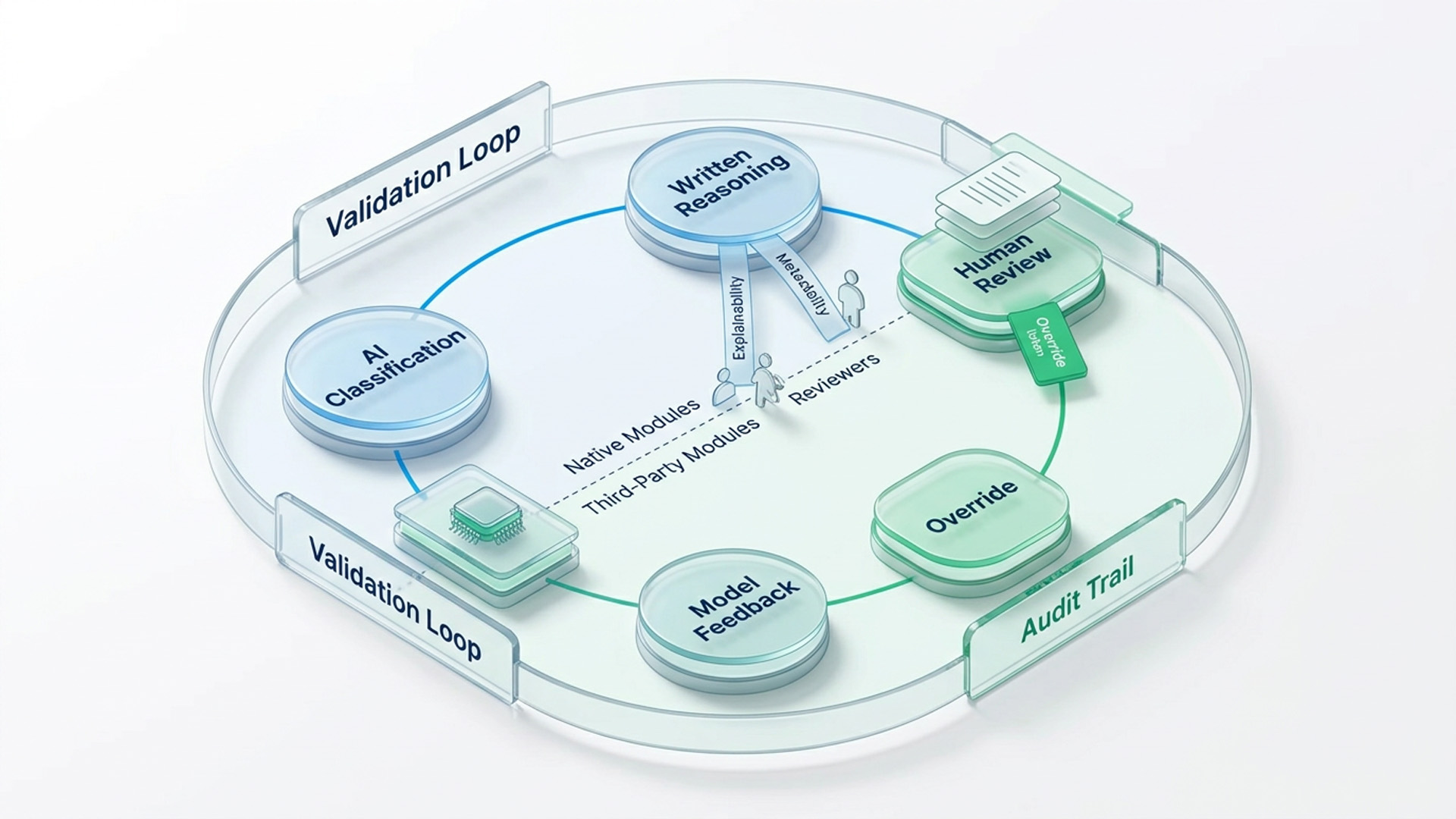
What Evasion Looks Like: The AI gets demoed only on the vendor's own data, with no pilot offered on yours. Validation arrives in adjectives instead of numbers, and every hard question earns a roadmap answer. Any document review software looks fast when fifty clean files are all it has to survive.
Security Tested in Two Minutes
Test whether eDiscovery data security is lived in the product or laminated onto the sales pitch. Certifications, audit reports and encryption architecture belong in your written evaluation, requested under an NDA. The three asks here take two minutes each and reveal whether everyday controls really exist.
Courts also expect defensible data handling, and FRCP 37(e) makes careless preservation failures genuinely expensive. The demo's job here is to prove that the everyday controls actually exist on screen.
- Have the vendor pull the complete audit trail for one document, live and in under two minutes. That trail should run from ingestion through production without anyone needing to open a support ticket.
- Ask for an outside-counsel user scoped to a single matter, created right now while you watch. Then have the vendor show you exactly what that new user can and cannot see afterward.
- Ask to see where deployment gets configured for cloud, on-premises and hybrid installations of the platform. Whatever you are watching in the demo should look and behave identically across all three environments.
What Evasion Looks Like: The audit trail needs the vendor's own team to run a report somewhere behind the curtain. Permission changes need a support ticket, and on-premises exists in the price list but never on screen.
Usability When Your Team Drives
Hand someone your keyboard, because this is the category no written evaluation can ever reach. Even excellent legal document review software fails when the people reviewing documents cannot drive it. Demos are uniquely good at exposing that risk, provided you take the mouse away from the sales engineer.
The person driving has run this platform ten thousand times, and your paralegals have not. Adoption rates, training costs and error rates all hide somewhere inside that very large experience gap. The four asks below drag that gap into the open before the contract gets signed.
- Let your least technical daily user drive a review batch, searching, tagging and redacting without coaching. Every place where they get stuck is a line item in your future training budget.
- Count the clicks from data loaded to first meaningful search, then again for a routine production. Friction at demo speed compounds into lost hours once the platform runs at matter speed.
- Have someone other than the sales engineer perform the same task you watched earlier in the session. If only one person alive can make the platform look easy, that is a preview.
- Ask to see day one for a new user, including the default screen and help resources. What a first-week reviewer actually sees will shape adoption far more than any feature list.
What Evasion Looks Like: The vendor grows reluctant to hand over control, or insists on configuring things for you first. Usability claims keep arriving while the resident expert quietly drives the platform at expert speed.
Cost Mechanics You Can Point At
Ask the meter rather than the brochure, because full pricing disclosure belongs in the written stage. The demo still offers one uniquely honest probe that no written pricing response can ever duplicate. A vendor who cannot price a session they controlled will struggle with an invoice you dispute.
- Ask the vendor to price the demo you just watched, using their own commercial model. Processing, hosting, analytics, AI and production should each appear as a separate line item on screen.
- Ask which features you saw today sit inside the platform price and which are metered separately. The vendor should point at the screen, feature by feature, while they give you the answer.
What Evasion Looks Like: Pricing belongs to another team, or nothing you watched can be connected to a cost. The AI gets demoed enthusiastically and then priced vaguely, which is its own kind of answer.
The Unscripted Ten Minutes
Save ten minutes for the questions no script anticipates, because off-script behavior predicts month eight. That is the month when your hardest matter finally meets the reality of their support queue. Ten honest unscripted minutes often reveal more than the polished fifty that came before them.
- Pick something from your scenarios the vendor never rehearsed, like an odd file type or production spec. Ask to see it handled now, on screen, with no follow-up session offered as a substitute.
- Ask what past buyers regret not asking during this exact demo, then wait through the pause. The answer, and the length of that pause, shows how the vendor thinks about customers after signing.
What Evasion Looks Like: All that polish collapses into defensiveness, and every unscripted request gets deferred to a follow-up session. A confident vendor, by contrast, visibly enjoys the off-script minutes more than the scripted hour.
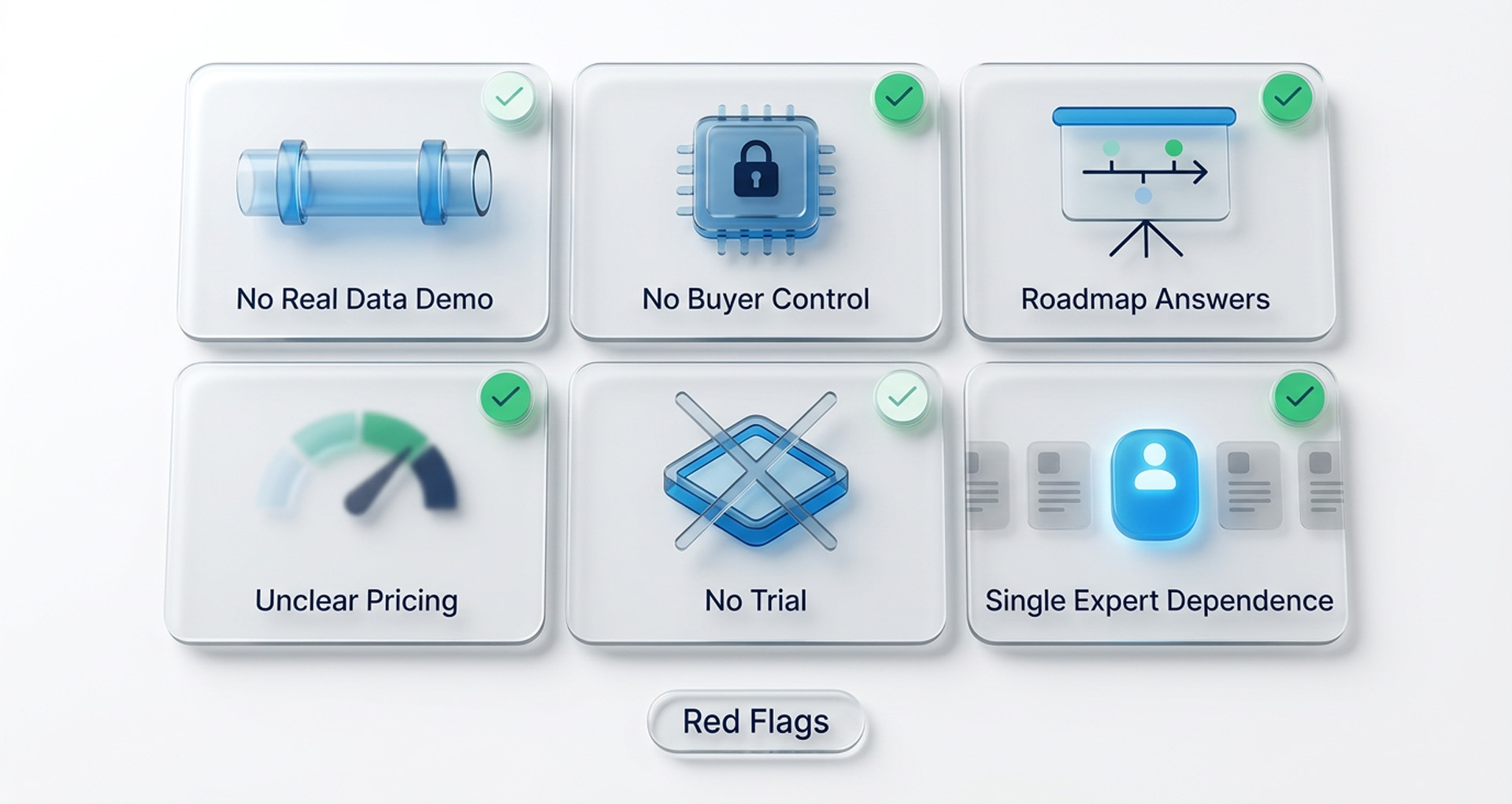
Red Flags That End the Conversation
Some demo behaviors are not gaps you probe further, because they are complete answers in themselves. Any one of the following should move a vendor to the bottom of your list. Watch for them deliberately, because they rarely announce themselves in the middle of a polished session.
- The vendor will not demo your scenarios and will not let realistic data anywhere near the screen.
- Your team is never allowed to drive, no matter how the request gets phrased or repeated.
- Hard questions consistently earn roadmap answers instead of anything running live on the screen today.
- Nothing shown during the session can be connected to a price by anyone in the room.
- No hands-on trial, sandbox or proof of concept is offered to finalists at any stage.
- The demo driver is the only person in the company who can make the platform look easy.
Turn What You Watched Into a Decision
Score each session within an hour, while the evasions are still fresh in everyone's memory. Demos flatten fast, and by Friday three separate sessions become a vague sense that everyone seemed good. Record two things per vendor, namely what you watched them prove and what they would not show.
The list of dodges usually decides far more than the list of strengths ever will. Then ask your top one or two vendors for a proof of concept on your sample data. A demo shows what a vendor wants seen, while a proof of concept shows the platform working.
Your data and your team at the keyboard settle questions a demo can only gesture toward. A vendor who resists a proof of concept at the finalist stage has answered your biggest question for free . If you are running a formal RFP alongside demos, our RFP guide covers the written scoring side.
What a Venio Demo Looks Like
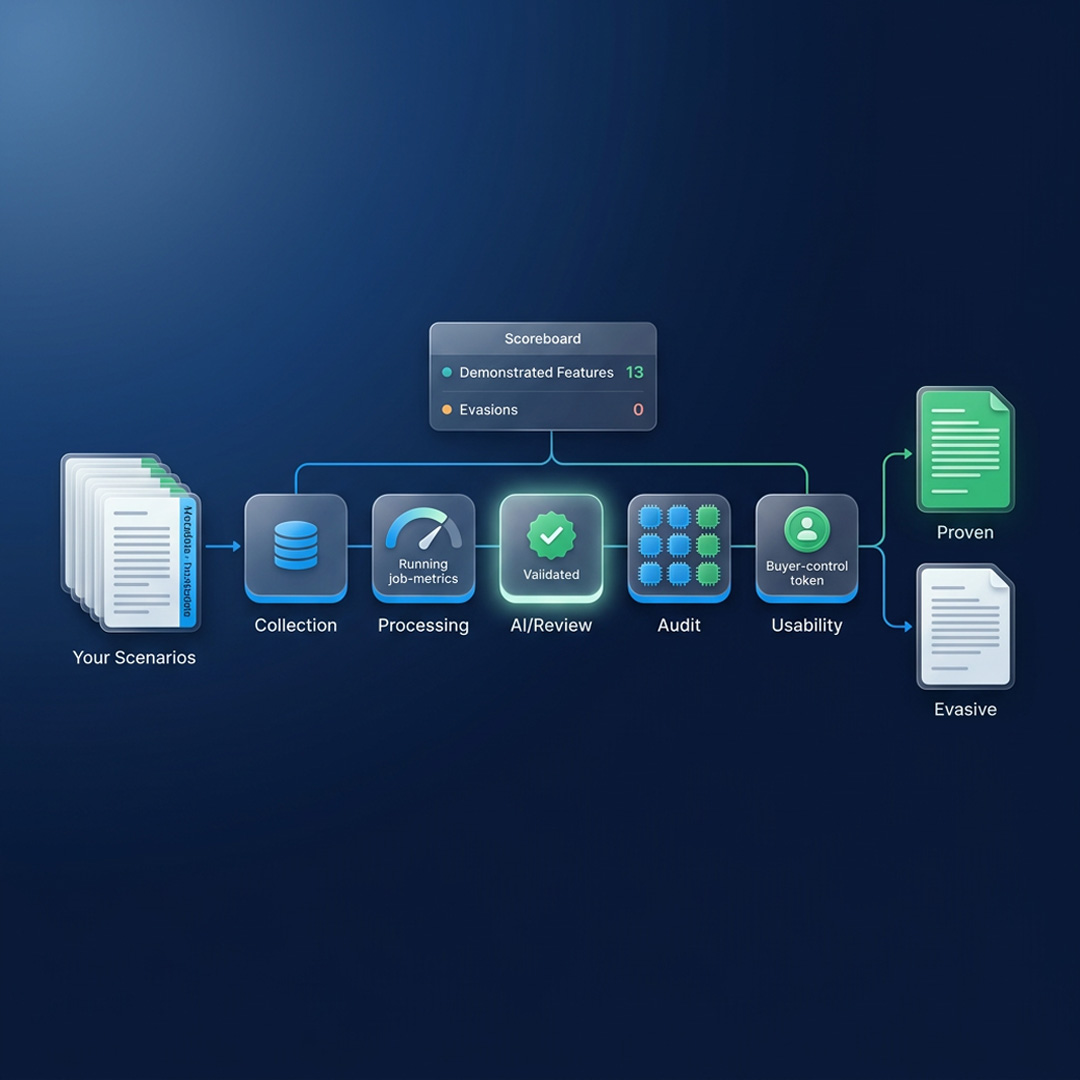
We published this list because these questions favor platforms with structure over platforms with polish. A Venio demo is built to survive all twenty of them, and here is how. Each promise below maps directly onto one of the six categories you just read through.
- Your Scenarios, Not Our Script: Send us your workflows in advance, and those workflows are exactly what we will demo live. Live processing runs with current job metrics and the exception report visible on screen throughout.
- One Platform to Trace: Legal hold, ECA, processing, review and production all run natively inside one single unified system. The trace-the-data question therefore has a very short answer, because the data simply never leaves.
- AI You Can Interrogate: Continuous active learning, predictive coding and AI-powered classification all run inside the Review module natively. Validation outputs and override logging sit right on screen for you to watch and to question.
- Your Keyboard, Welcome: Ask your least technical user to drive, and we will hand the controls over gladly. We would much rather you find the friction during the demo than during month two.
- The Meter, Explained on Screen: Venio's instance-based pricing means the price-this-demo question always has a clean and immediate answer here. We will map every feature you watched back to exactly how that feature is priced today.
For the side-by-side view, see the Venio Advantage page or explore the individual platform modules. Both pages show how the modules connect into the single platform you would be demoing.
Put Every Vendor to the Same Test
The purpose of demo season is not to be impressed, because impressions favor the best presenter. Its real purpose is to gather evidence, collected the same way from every vendor you meet. Run the same scenarios, the same twenty questions and the same scoring sheet across every finalist.
Comparing what each platform proved, rather than how each vendor performed, largely makes the decision itself. Book a Demo, and bring this list, your messiest scenarios and your most software-breaking colleague along.
Frequently Asked Questions
What is an eDiscovery demo?
An eDiscovery demo is a live, vendor-led session where a platform performs discovery workflows on screen. Buyers use it to verify claims about processing, review, AI, security and usability before purchasing. Strong eDiscovery demo questions turn that session from a product tour into a genuine evaluation.
What questions should you ask in an eDiscovery demo?
Ask for live proof rather than narration, starting with processing realistic data and showing the exception report. Have the vendor run TAR with validation statistics on screen and pull a full audit trail quickly. Then let your own team drive a review batch, and ask the vendor to price the session.
How long should an eDiscovery software demo take?
Plan sixty to ninety minutes for a scenario-driven session, and always keep ten minutes unscripted. Larger evaluations work better split by stakeholder, with one session for reviewers and another for administration. Short breaks between vendor sessions also help, because back-to-back demos blur together almost immediately afterward.
Should we share our own data or scenarios before a demo?
Share detailed scenarios and a data profile in advance, so the vendor demos your workflow rather than a script. Actual client data belongs in a secured pilot under NDA, never in a sales demo environment. That split keeps the demo realistic while keeping client confidentiality fully protected throughout the evaluation.
What is the difference between a demo and a proof of concept?
A demo is a vendor-led session run inside a controlled environment the vendor fully manages. A proof of concept is a hands-on trial where your team runs the platform on sample data. Use demos to narrow the finalists, then use a proof of concept to validate the final decision.
Should the demo come before or after an RFP?
Schedule demos after the RFP when you can, because written answers put every claim on the record. Finalist demos then verify those claims live, with the weakest written sections addressed on screen. If you must demo first, treat the session as research for writing sharper RFP questions.
Related Articles
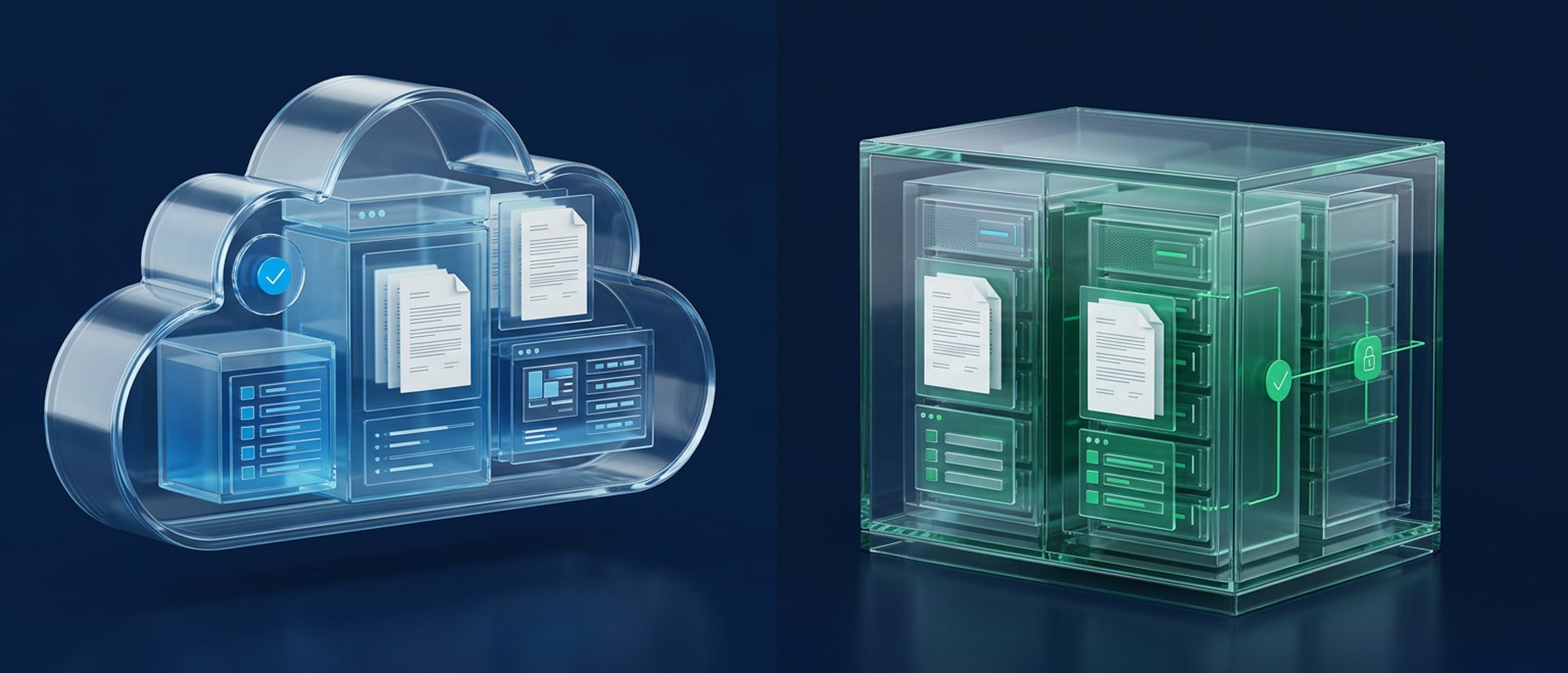
Cloud vs. On-Premise Security: Which eDiscovery Model Works Best for Government?
Is cloud more secure than on-premises for government eDiscovery? Compare securi
Read Article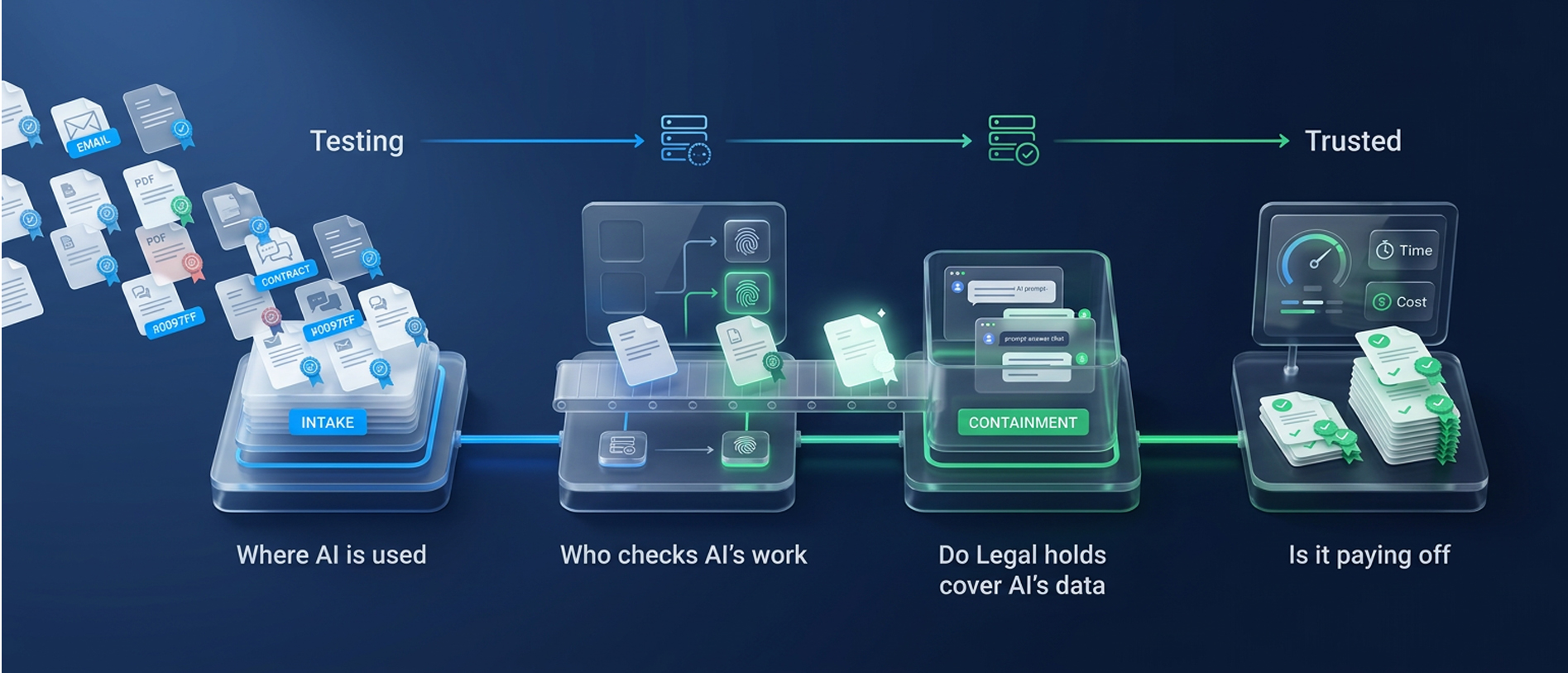
From Testing to Trusted: The Open Questions on AI in eDiscovery
Where is AI used, who checks its work, do legal holds cover AI data, and is it p
Read Article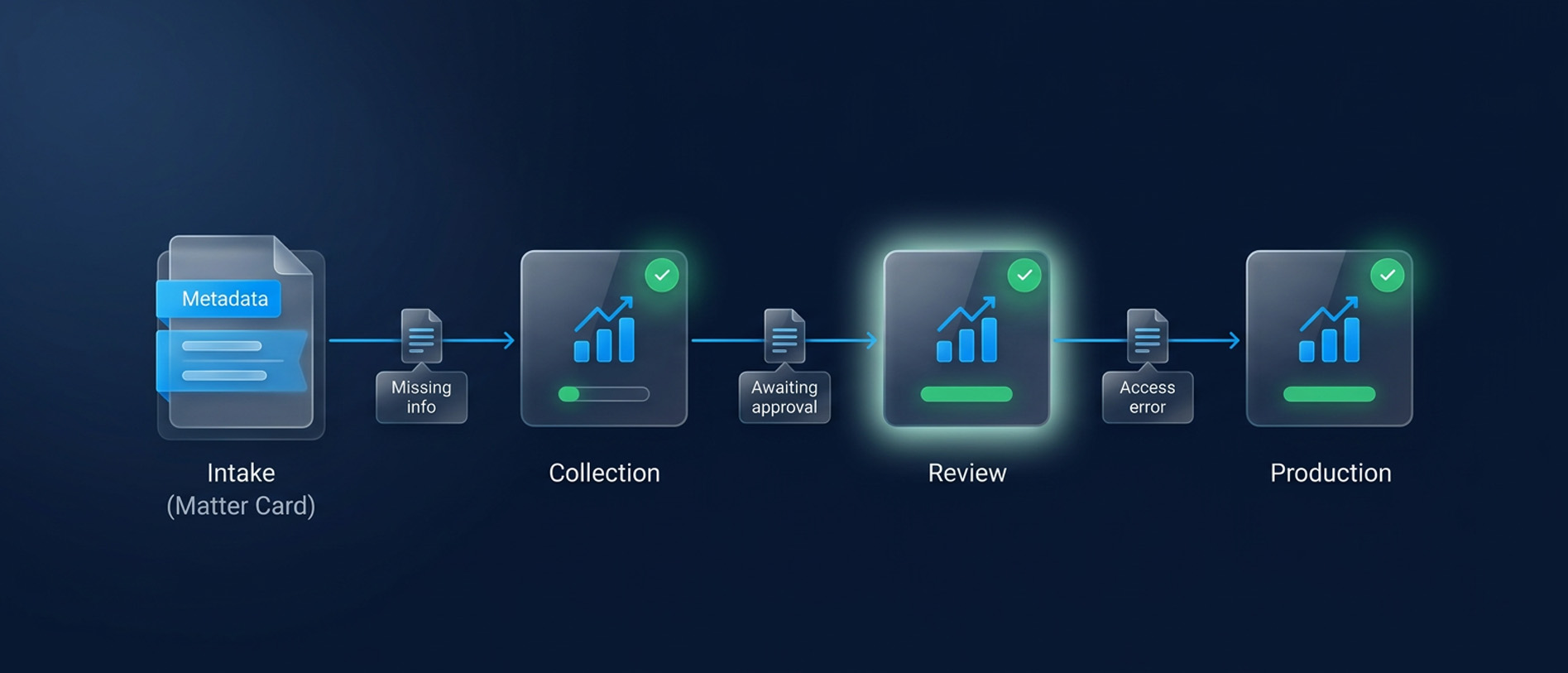
Legal Workflow Automation for Faster eDiscovery
Reduce discovery delays with legal workflow automation. Clarify ownership, resol
Read Article