Legal Hold and Auto-Deletion in M365 and Google Vault

Ready to get started?
built for clarity, control, and scale.
Share
A hold notice goes out on a Tuesday, covering two custodians in a straightforward contract dispute. IT confirms both mailboxes are flagged by Thursday, and the matter moves on to scoping. It looks like a clean start, because on paper it is one.
Six weeks later the collection lands, and a stretch of Teams messages between those same two custodians is simply not in it. Nobody deleted anything, and no custodian ignored the notice. The retention policy kept running the way it had every day for the previous three years.
Nothing in Microsoft 365 knew that Tuesday was different from Monday. The hold worked exactly as designed, and it started working on Thursday. What happened before Thursday was governed by a policy that answers to a schedule, not to a matter.
This is the part of cloud preservation that catches capable teams, and it has nothing to do with configuring the hold badly. Holds in both platforms genuinely override auto-deletion once they take effect. The exposure sits in what deletes before the hold lands, what the hold never covered, and what resumes deleting the moment you release it.
The Window Before the Hold Lands
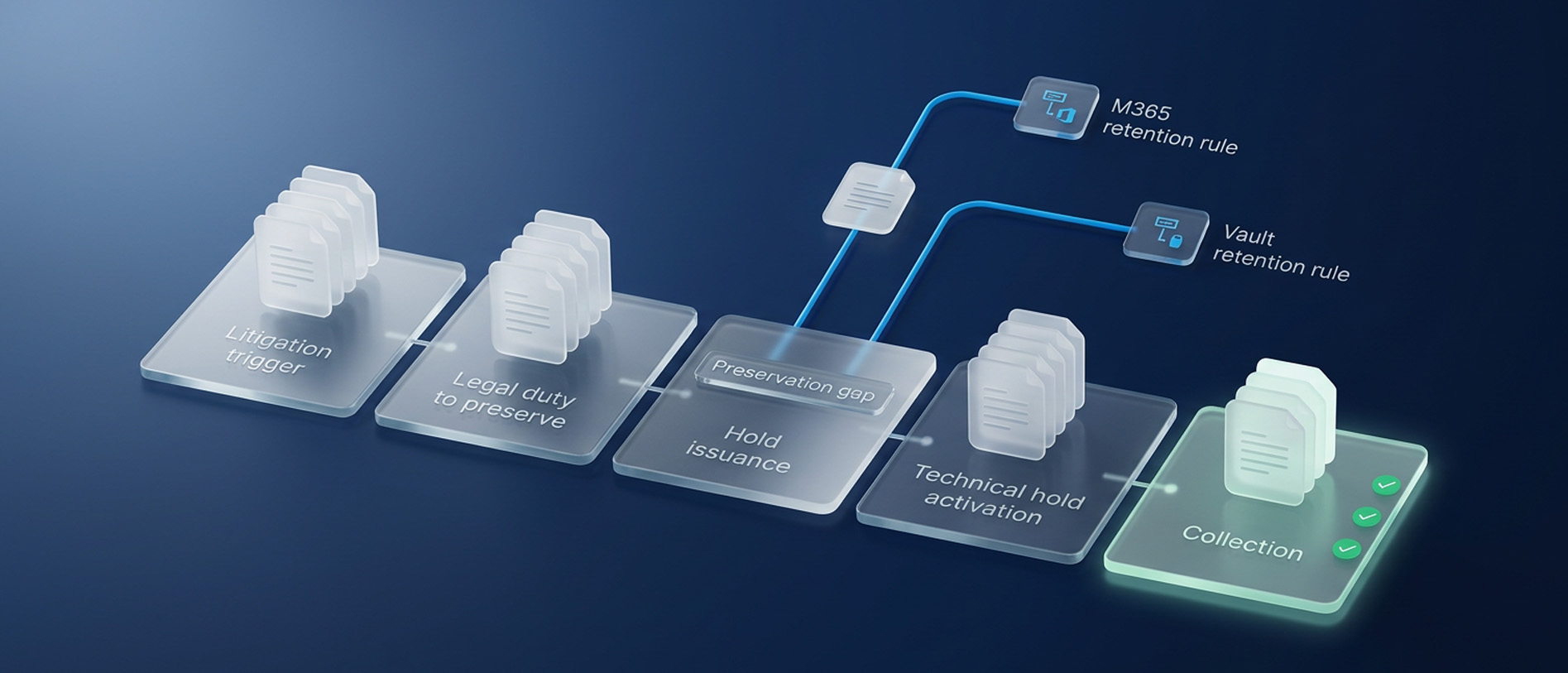
A legal hold is a documented process that suspends routine deletion so relevant data survives. It protects information from the moment it takes effect, not from the moment your duty began. Those two moments are almost never the same day.
The duty to preserve attaches when litigation is reasonably anticipated, which can be a demand letter, a regulator inquiry, or a credible verbal threat. Auto-deletion recognizes none of those events. If the boundary between duty, hold, and collection is fuzzy across your team, our breakdown of legal hold, preservation, and collection separates the three cleanly.
Between the trigger and the technical hold sits a window where your obligation is live and your protection is not. Scoping takes days, notice issuance takes more, and application waits on an IT queue. Retention policies run through every hour of it.
That window is not a paperwork problem, it is a data problem, and its size is the only variable you control. Shortening it is worth more than perfecting the notice that closes it. Our guide to legal hold strategy covers the scoping work needed to identify what must be preserved.
What Microsoft 365 Deletes While You Wait
Microsoft 365 retention policies are not only a retention mechanism. They are also a deletion mechanism, and that second function runs on schedule regardless of your matter. Three behaviors matter most during the gap.
1. Policy Scope Is Wider Than Hold Scope
A Microsoft Purview retention policy reaches across Exchange mailboxes, SharePoint sites, OneDrive accounts, Microsoft 365 Groups, and Teams messages. Exchange Online litigation hold is narrower, applying at the mailbox level and preserving deleted or modified items in the Recoverable Items structure. A policy governing SharePoint keeps operating after you place a custodian mailbox on hold.
2. Teams Content Lives Somewhere Else
Teams chat and channel messages are stored inside Exchange Online mailboxes rather than in Teams itself. Permanent deletion from the SubstrateHolds folder is suspended once litigation hold, an eDiscovery hold, or a delay hold applies to that mailbox. Before any of those exist, the retention timeline governs the content entirely.
3. Held Files Move Out of Sight
Held SharePoint and OneDrive content moves into the preservation hold library rather than staying visible in place. Users routinely read that as data loss and escalate it, which is why hold notices need to explain the behavior in advance. We covered the same visibility problem across chat platforms in our guide to defensible legal holds for Slack and Teams.
Why Vault Deletion Surprises Teams
Google Vault inverts the assumption most teams bring to it, because in Vault retention is the deletion engine. When a retention rule applies to a message or file, the item is deleted from the service. That happens even if the user never marked it for deletion.
A default rule set to retain Gmail for 365 days removes every message older than one year, across every account it covers. Default rules apply wherever no custom rule or hold reaches, and only one default rule exists per service. It cannot target specific accounts or time periods.
Custom rules narrow the scope, and where several rules cover the same data the longest duration governs. Google Workspace also carries separate email and chat auto-deletion settings in the Admin console. Google advises against running both systems together and recommends disabling Admin console auto-deletion once Vault retention rules exist.
That overlap causes real confusion during google vault ediscovery work. Admin console auto-deletion changes what users see in their own mailboxes without shortening what remains available to Vault. Custodians therefore report data as missing that is still fully preserved, and self-collection becomes unreliable.
Which Setting Wins a Conflict
Holds take precedence over retention on both platforms, and that shared headline hides several differences worth knowing. The mechanics diverge in scope, in release behavior, and in what quietly ends protection. The table below sets the two side by side.
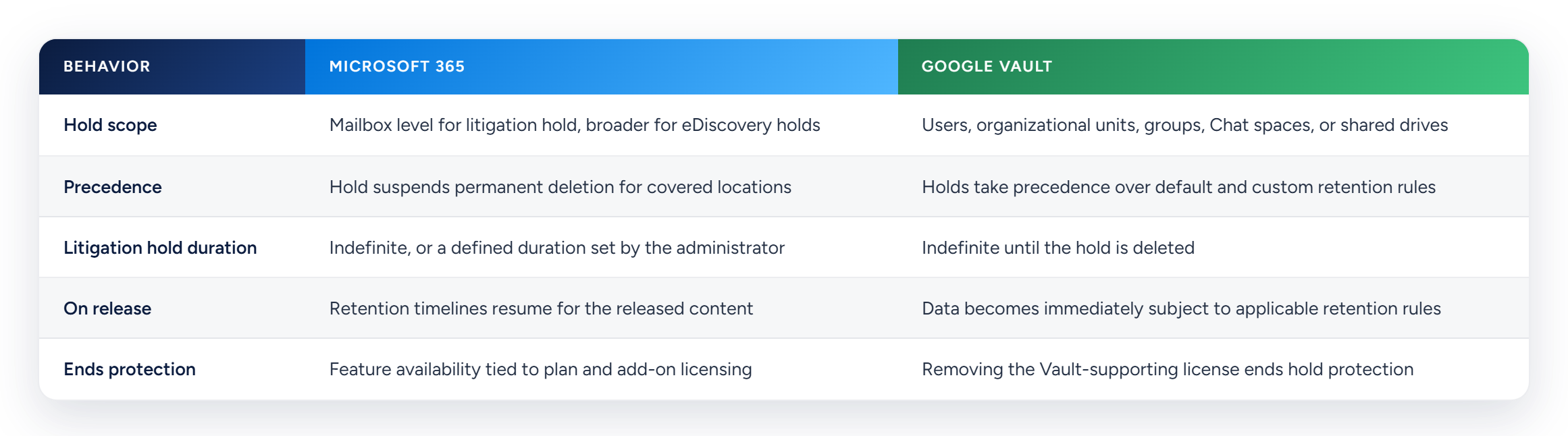
The final row is the one worth rereading. On both platforms a hold is a state maintained by an active configuration. It is not a permanent property that attaches itself to the data.
Where a Live Hold Still Fails
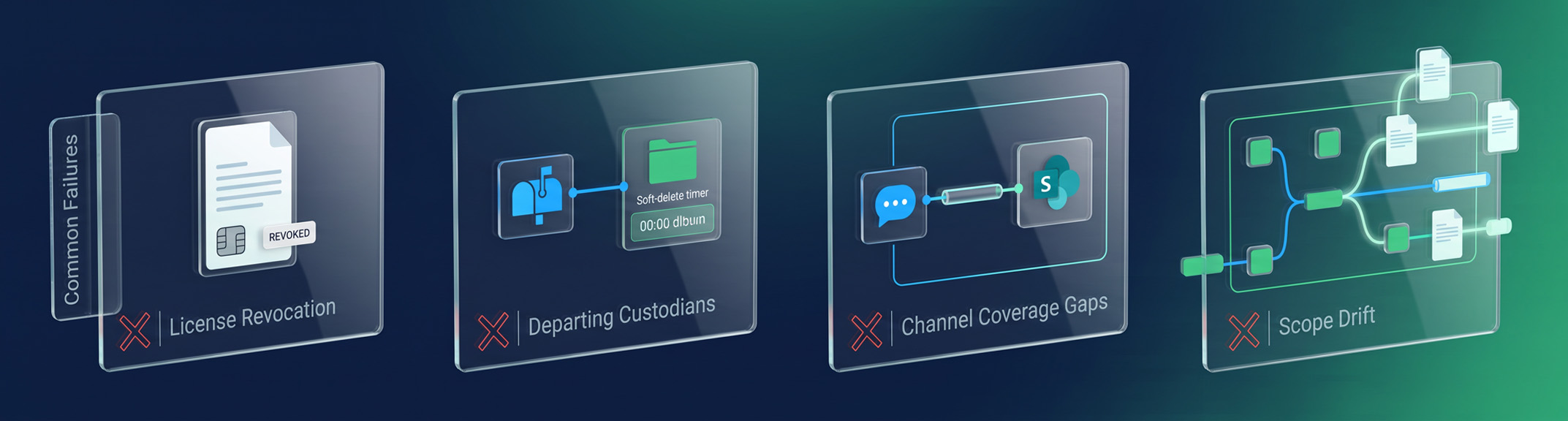
This is the part experienced teams tend to learn expensively. A hold can show as active on a dashboard while failing to protect the data that actually matters. Four failure modes account for most of what goes wrong.
1. License Revocation
If a Workspace administrator removes a Vault-supporting license, Vault holds stop protecting that user data. Content already marked for deletion can then be purged immediately and cannot be restored. Routine offboarding triggers this without anyone connecting the action to an open matter.
2. Departing Custodian Windows
In Microsoft 365, a deleted mailbox enters a soft-delete state before permanent removal. Placing the hold before the account is deleted is what preserves the contents. HR timelines and legal timelines rarely coordinate closely enough to guarantee that order.
3. Channel Coverage Gaps
A hold on email does not automatically extend to every messaging channel in use. This was the central failure in Epic Games v. Google, where chat messages were deleted on a 24-hour cycle that was never suspended when litigation began. The court found sanctions warranted under Rule 37(e), and the standards judges apply in those rulings are set out in our breakdown of FRCP 37(e) and spoliation sanctions.
4. Scope Drift
Custodians change roles, projects move, and new tools enter the environment mid-matter. A hold scoped accurately in month one may no longer match the matter by month nine. Scope drift sits alongside the other common legal hold mistakes that courts see repeatedly, and it is the easiest of them to miss.
What Happens When You Release
Releasing a hold restarts deletion, usually faster than teams expect. In Google Vault, data becomes immediately subject to applicable retention rules the moment the hold is deleted. In Microsoft 365, retention timelines resume for the released locations.
Content that sat protected for two years can fall outside a one-year retention window as soon as protection lifts. Release is therefore a decision with evidentiary consequences rather than an administrative cleanup task. Timing it badly can destroy data you would have wanted for a related matter.
Three things belong on record before anyone touches the setting. Written authorization from counsel, the date and reasoning behind the release, and confirmation of which custodians and systems were affected. None of the three is captured by the platform that performs the release.

The Record Your Platform Never Keeps
Every gap described above is technically solvable. You can shorten the trigger-to-hold window, map holds across both platforms, watch for license changes, and formalize release. These are process problems with process answers, and none of them require replacing your stack.
What neither platform gives you is the evidentiary record. Purview and Vault show the current state of a configuration, not who was notified, when they acknowledged, what scope was assessed and rejected, or who authorized the release. That record is what opposing counsel actually challenges.
Courts assess whether you took reasonable steps, and reasonable steps have to remain demonstrable years after the fact. A screenshot of a settings page does not demonstrate a process. The hold notice from that Tuesday only helps if you can still prove what it covered.
Venio brings legal hold, early case assessment, review, and production onto a single platform, so notice issuance, acknowledgment tracking, escalation, and release logging leave one auditable trail alongside your platform configuration. The settings keep your data, and the record keeps your case. Talk to our eDiscovery Expert to see what that looks like across your own Microsoft and Google environments.
Frequently Asked Questions
Does a Litigation Hold Override a Retention Policy?
Yes, on both Microsoft 365 and Google Vault, a hold takes precedence over retention rules for the content it covers. The override applies only within the scope of the hold, so any location outside that scope continues on its retention schedule. Coverage is what determines protection, not the existence of the hold.
How Long Does a Litigation Hold Data?
Litigation hold duration in Microsoft 365 can be set indefinitely or for a defined period chosen by the administrator. Google Vault holds run indefinitely until someone deletes the hold. In both cases the data is protected only while the hold remains active and correctly scoped.
What Happens When a Legal Hold Is Released?
Released content returns to whatever retention rule applied before the hold existed. In Google Vault that exposure is immediate, and in Microsoft 365 retention timelines resume for the released locations. Data older than the applicable retention period can be purged very shortly after release.
Can You Delete a Mailbox on Litigation Hold?
A mailbox under hold cannot be removed the way an ordinary account can, and Google Vault similarly blocks deletion of accounts holding data under hold. The risk runs the other way, when an account is deleted or a license removed before the hold is applied. Sequence matters more than the setting itself.
Do I Still Need Legal Hold Software if I Use Purview or Vault?
Native tooling applies and enforces holds well, and it is the correct place to configure preservation. What it does not produce is the custodian-facing record of notice, acknowledgment, escalation, and release authorization. That record is what defensibility rests on when a hold is challenged years later.
Related Articles
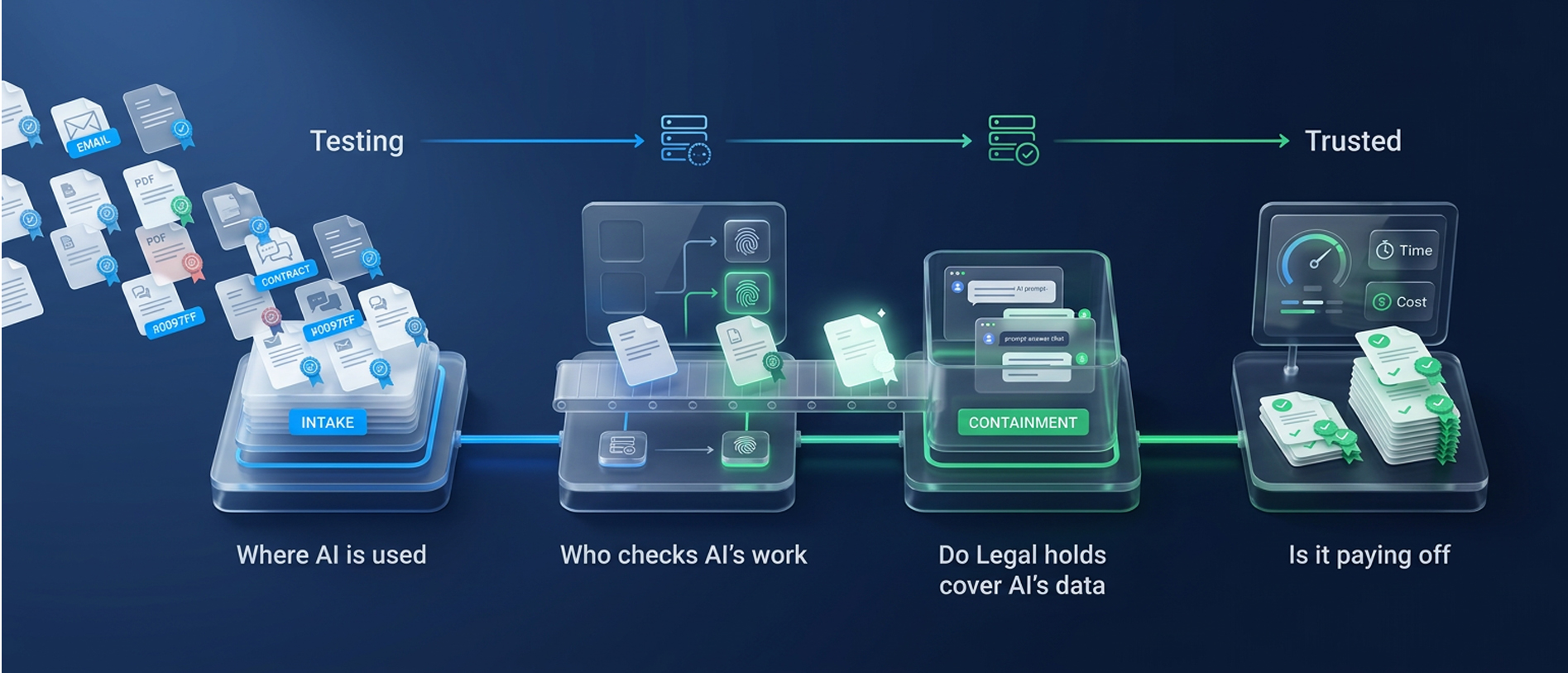
From Testing to Trusted: The Open Questions on AI in eDiscovery
Where is AI used, who checks its work, do legal holds cover AI data, and is it p
Read Article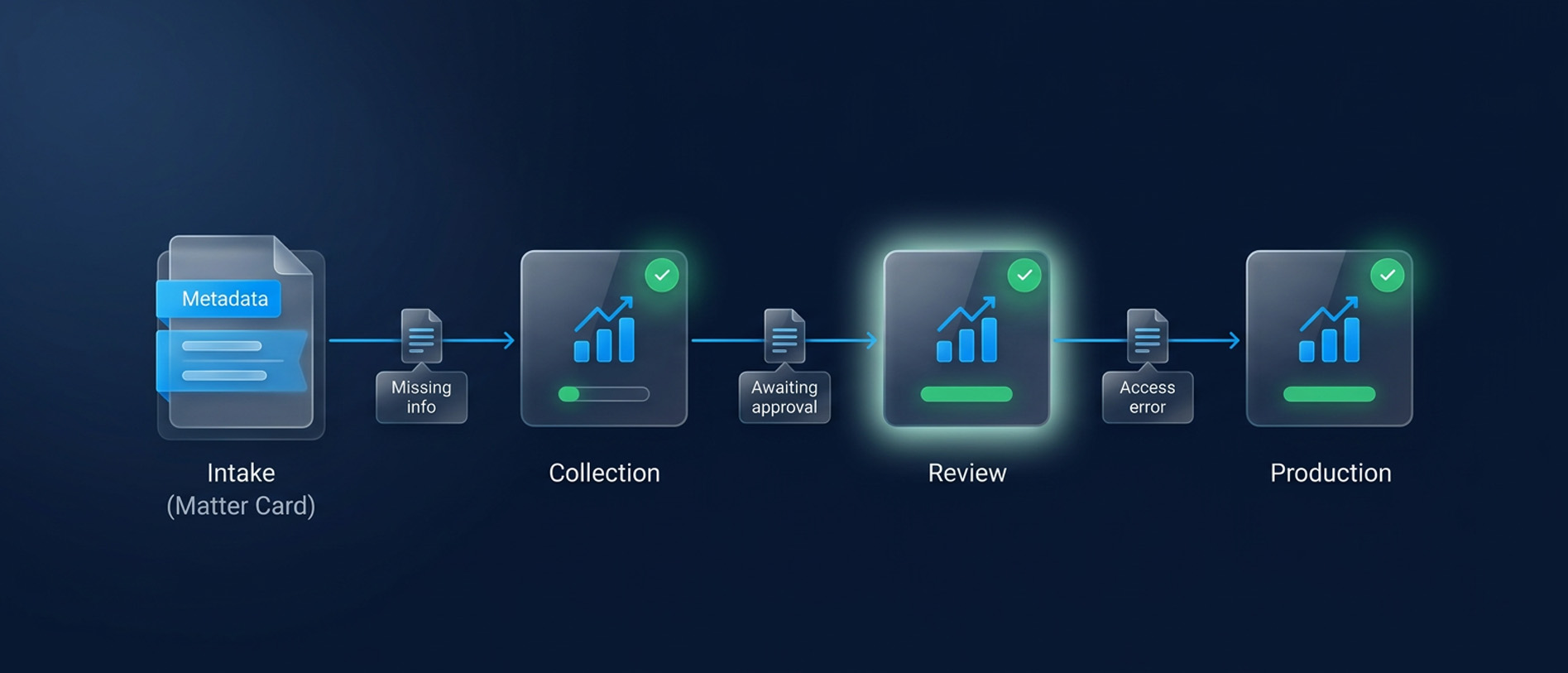
Legal Workflow Automation for Faster eDiscovery
Reduce discovery delays with legal workflow automation. Clarify ownership, resol
Read Article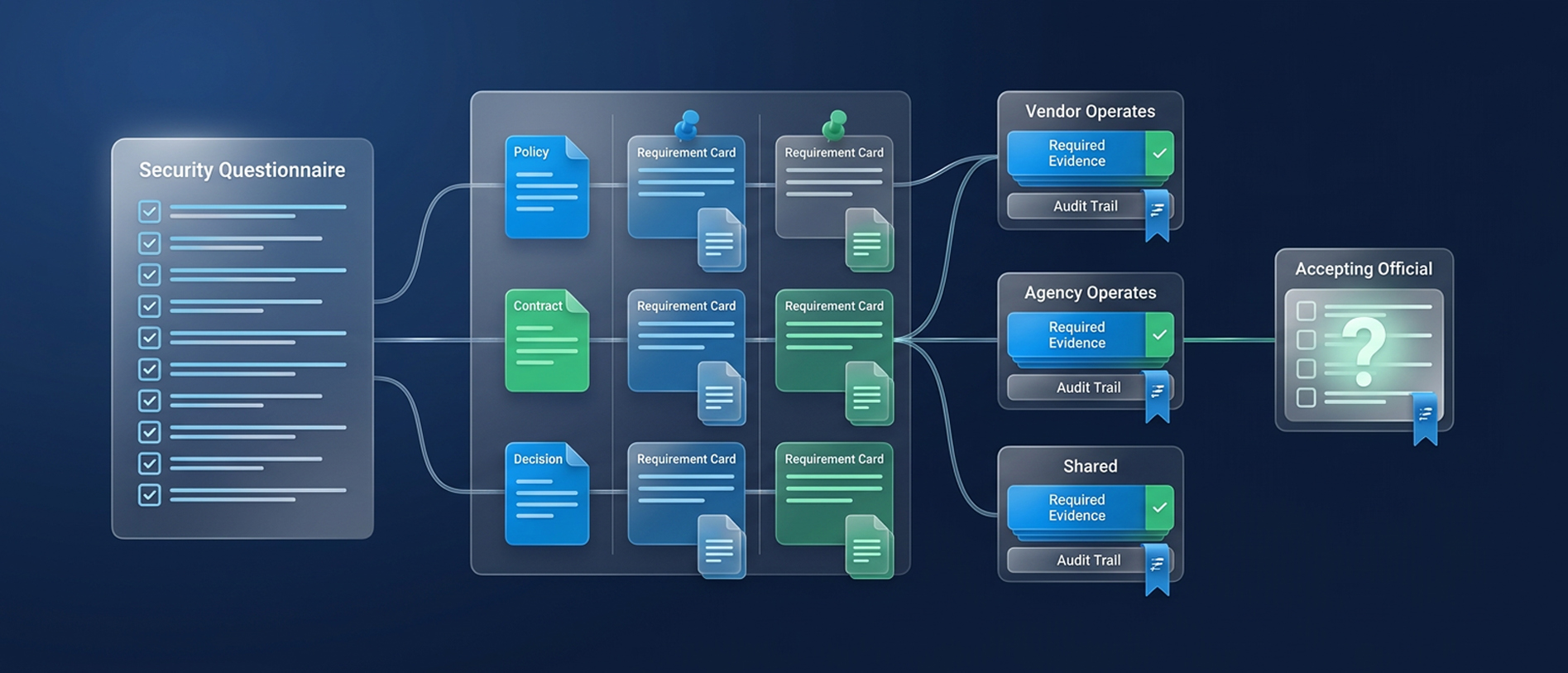
A Buyer’s Guide to Government eDiscovery Security
Evaluate government eDiscovery security requirements, FedRAMP 20x and NIST contr
Read Article