Legal Hold on Personal Devices: Why Custodians Fail and Courts Notice
Ready to get started?
built for clarity, control, and scale.
Share
The employment lawsuit against University Medical Center of Southern Nevada spent almost two years stuck in discovery. The logjam broke only when it emerged that key employees had been storing work data on their personal mobile devices the entire time, and that the hospital had taken no steps to preserve any of it. No hold notice addressed those devices. Nobody had asked. In 2014, the special master appointed to untangle the mess recommended the most severe sanction available, ending the case outright, and the sanctions fight itself ran on for four more years after that (Small v. Univ. Med. Ctr. of S. Nev., No. 2:13-cv-0298, D. Nev.).
Here is what should bother you about that case. The hospital had a legal hold process. It failed anyway, because a legal hold on personal devices does not behave like any other hold you place, and the process was never built for the difference.
Every other hold you issue is executed by a system. This one is executed by a person you cannot see, on a device you do not own, with deletion settings you cannot check. Most legal hold programs never account for that inversion, which is why personal devices are where otherwise defensible programs go to die.
This post covers where the failure actually happens, what courts have done about it, and the specific process changes that close the gap.
Legal Hold on Personal Devices Fails
On a personal device, preservation is executed by the custodian and cannot be verified by the organization. That single structural fact explains nearly every BYOD preservation failure that reaches a sanctions motion.
Compare the mechanics. When you place a hold on a mailbox, Microsoft Purview preserves the content whether or not the custodian ever reads your notice. When you hold a Slack workspace on Enterprise Grid, the platform retains messages through edits and deletions. The instruction and the execution are separated, and the execution belongs to a system that does not forget, resign, or misunderstand.
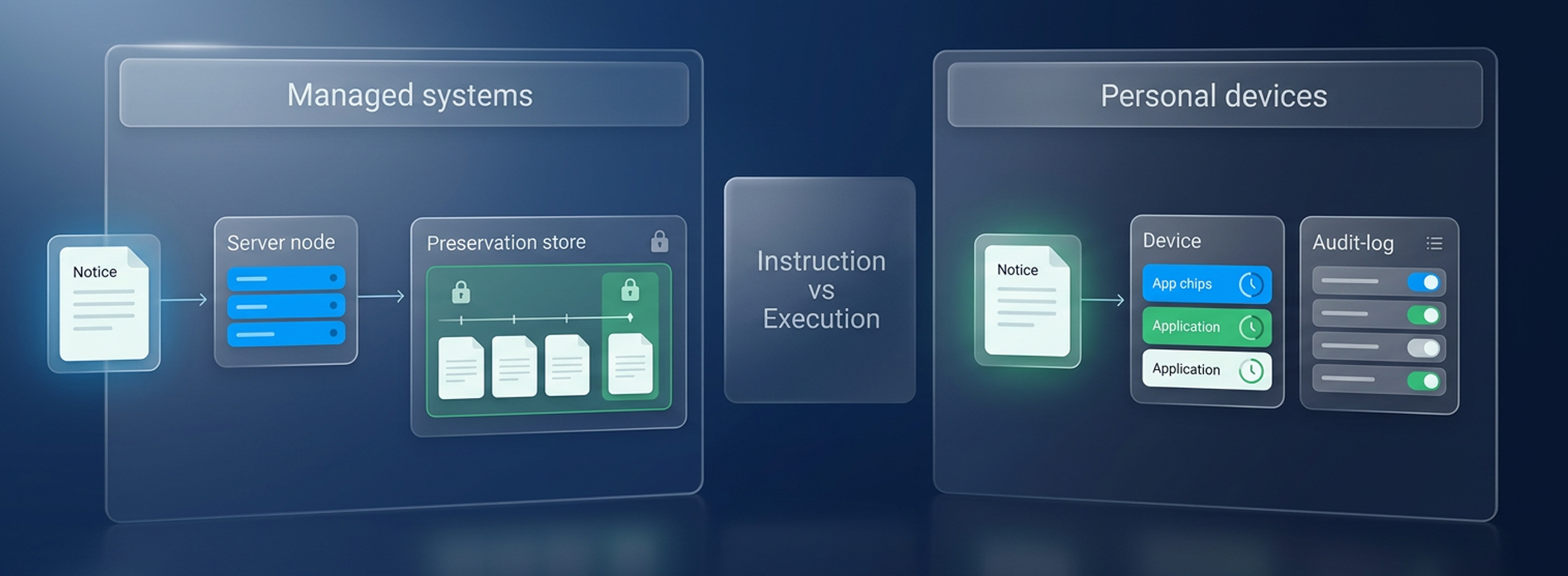
A personal device collapses instruction and execution into one person. If the custodian skims the notice on a layover and never opens WhatsApp settings, the hold exists in your tracking dashboard and nowhere else. Nothing downstream catches the miss, because there is nothing downstream. That is why holds for remote employees fail silently, and why the silence looks identical to compliance until collection day.
Acknowledgment Is Not Preservation
An acknowledgment proves a custodian received a notice and clicked a button. It proves nothing about whether disappearing messages were turned off, whether the personal Gmail account was included, or whether anything at all was retained. Those are separate acts, and only the click generates a record.
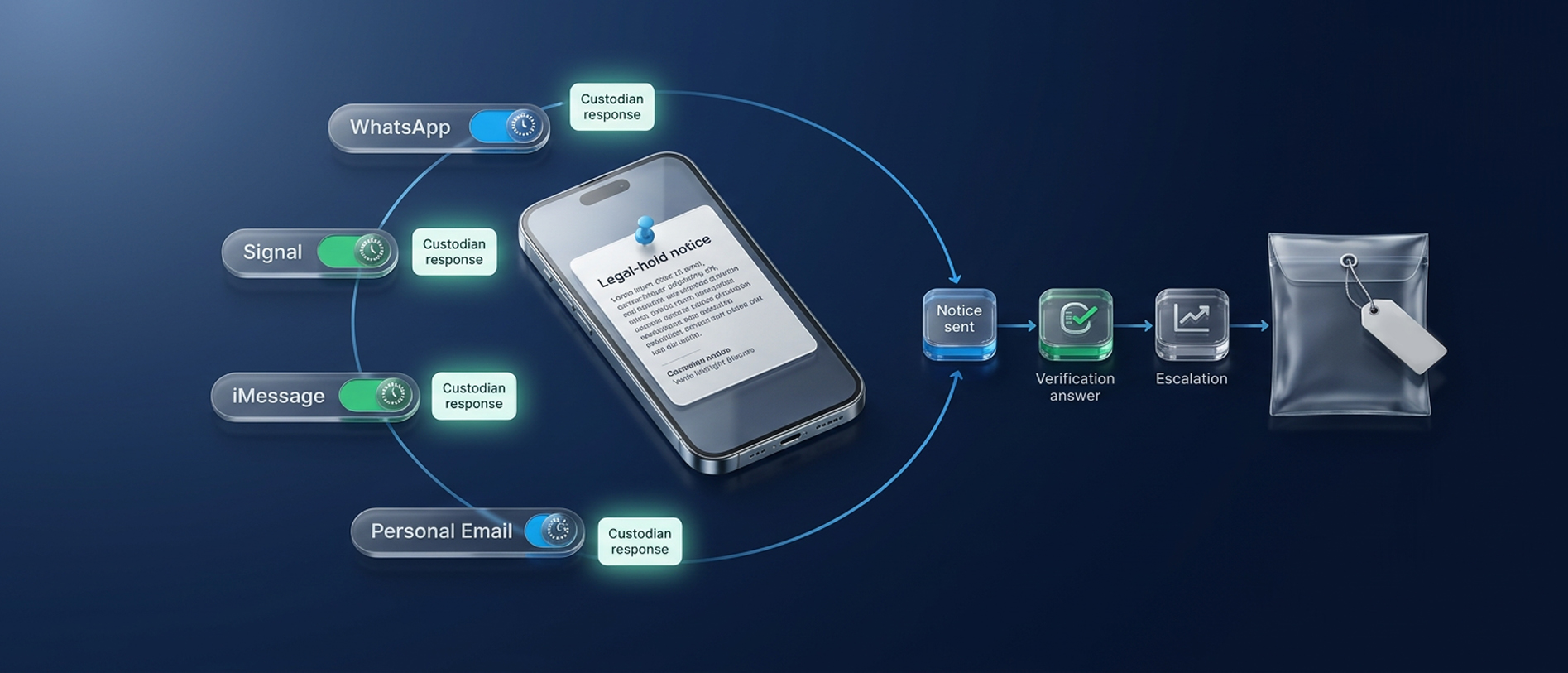
This is the precise point where tooling either helps or flatters you. A hold platform that only tracks acknowledgments is measuring the wrong variable for BYOD custodians. What changes the evidentiary picture is converting the acknowledgment into an interaction. Venio Legal Hold's custodian portal lets custodians answer questions and raise issues directly in the workflow, with every exchange logged.
A custodian who wrote back that they use WhatsApp for two client accounts and have disabled the seven-day timer has created evidence. A custodian who clicked a button has created a timestamp. The distinction between a hold, preservation, and collection is worth being precise about, and our breakdown of legal hold vs preservation vs collection maps where teams conflate them.
The BYOD Risks Courts Actually Sanction
The BYOD risks that end up in sanctions opinions are not the ones a security review catches. Security asks whether data can leak off the device. Discovery asks whether the data will still exist in eighteen months. A BYOD program can pass the first test and fail the second completely, and the case law shows exactly how.
Ephemeral Messaging Keeps Deleting After the Hold
In WeRide Corp. v. Kun Huang, 2020 WL 1967209 (N.D. Cal. Apr. 24, 2020), the defendants in a trade secrets case left a 90-day email auto-delete running after a preservation injunction, and their incoming CEO directed employees onto DingTalk, an app with ephemeral messaging, after litigation had begun. The court called the spoliation staggering, found the case could no longer be resolved on its merits, and entered into terminating sanctions under Rule 37(b) and (e). Not fees. Not an adverse inference. The end of the case.
The same logic reaches individuals. In Herzig v. Arkansas Foundation for Medical Care, 2019 WL 2870106 (W.D. Ark. July 3, 2019), plaintiffs who switched their communications to Signal during their own lawsuit were found to have engaged in intentional, bad-faith spoliation. In Fast v. GoDaddy.com LLC, 340 F.R.D. 326 (D. Ariz. 2022), sanctions followed a single use of Facebook Messenger's unsend feature on one relevant message. The pattern across all three is the same, covering automatic or casual deletion on personal apps, running after the duty to preserve evidence attached, treated by courts as a party-level failure.
Notice what none of these opinions asked, which is whether the company owned the device. The timer that keeps running after your hold notice goes out is not a technicality. It is the fact pattern that produces the worst outcomes in the reported cases.
The Four Exposures Hiding in a Standard BYOD Program
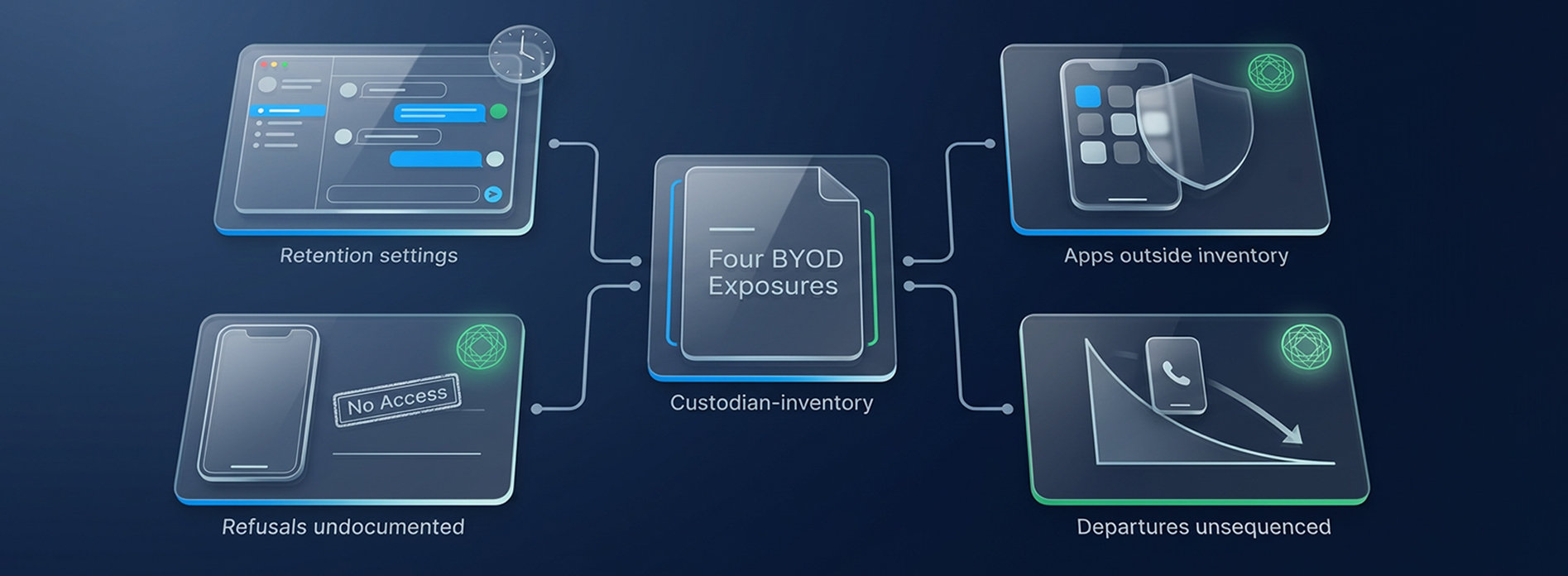
- Retention Settings You Cannot See: Disappearing message timers in WhatsApp, Signal, and iMessage are set per conversation, sometimes by the other participant, and no server-side control reaches them. Your hold notice does not stop a timer. Only a human at the device does.
- Apps Outside the Inventory: Personal Gmail, iCloud notes, and messaging apps never appear on an IT asset list, so a notice scoped to your work accounts quietly excludes the sources that matter most. This is exactly what a structured custodian interview exists to surface.
- Departures Nobody Sequenced: Offboarding deprovisions corporate accounts in days. The personal phone leaves with the employee, and once they are gone your practical ability to obtain the data drops to nearly zero. In Small, part of what made the record unrecoverable was that the problem surfaced years after the fact.
- Refusals Nobody Documented: Some custodians will decline access to a personal phone, sometimes on legitimate privacy grounds. An undocumented refusal reads to a court as your negligence. A documented one reads as a constraint you met and managed.
Is Personal Phone Data in Your Control
Generally yes. Under Rule 34(a)(1), discovery reaches material within a party's "possession, custody, or control," and courts have read control to include the practical ability to obtain data, not just legal title to the hardware. In re Pradaxa Products Liability Litigation (S.D. Ill. Dec. 9, 2013), the court held the litigation hold obligation extended to ESI on employees' personal devices. The special master in Small reached the same conclusion the hard way, after employees confirmed under oath that work data lived on phones no hold had ever mentioned. Our FRCP Rule 34 reference guide covers the production mechanics underneath this.
The uncomfortable implication is that your organization answered the control question years ago, in whatever it wrote down about personal device use, drafted by someone optimizing for security posture rather than employee personal device discovery. That document will be read in a discovery dispute, and it will be read against you.
Your BYOD Policy Is a Discovery Document
A policy written to reassure employees, one that disclaims all employer access to personal data, can be cited as proof the company lacked control. That sounds like a defense. In practice it more often reads as a company that structured itself to avoid an obligation it knew it had, which is a worse look in front of a judge than having no policy at all.
The stronger position is a BYOD policy litigation hold clause drafted before any matter exists, covering consent to preservation and targeted collection, a definition of work-related content, and a sequencing rule for offboarding. Written early, it is administrative hygiene. Written after the complaint arrives, it is an admission.
What a Personal Device Notice Must Add
A notice covering personal devices needs three instructions a standard litigation hold notice does not carry. The five-part anatomy of a defensible notice still applies underneath.
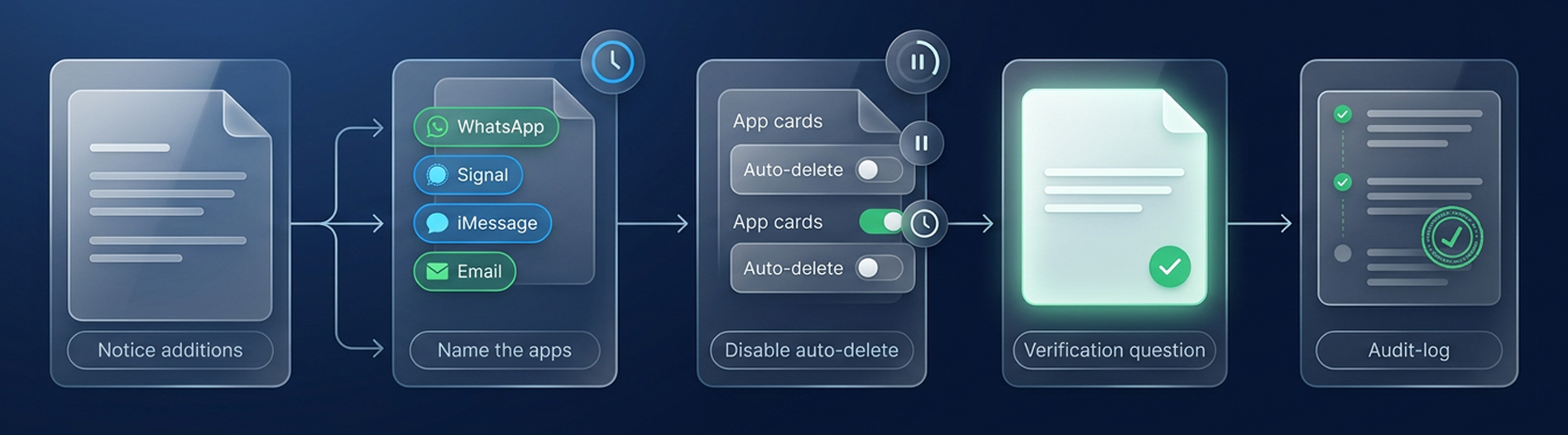
1. Name the Apps, Not the Device: Preserve your phone has no verbs a custodian can act on. Name WhatsApp, Signal, iMessage, personal email, and cloud storage explicitly, because naming a source removes the interpretive gap where custodians decide that personal apps were not really what you meant.
2. Instruct on Retention Settings: This is the single line most notices omit, and the one that separates the WeRide fact pattern from a defensible record. Disable disappearing messages and auto-delete in every named app, before replying to this notice.
3. Ask a Verification Question: Which of these apps do you use for work? Did any have auto-delete enabled? Have you disabled it? A factual answer is evidence of reasonable steps. A passive acknowledgment is a timestamp.
The third instruction is where process and platform meet. Reminder rules and escalation for unresponsive custodians, which Venio Legal Hold automates, are what turn one good notice into a sustained record across a matter measured in months. The answers feed directly into the custodian interview, where the unsanctioned sources surface. For collaboration platforms, where preservation runs server-side and the failure modes are different, see our guide to defensible legal holds for Slack and Teams.
Personal devices are the clearest case for writing scope decisions down in advance rather than improvising per matter. If your hold policy does not currently say how BYOD is handled, our guidance on legal hold policy and scope covers what the policy should define and who should own each decision.
When to Collect Instead of Hold
On personal devices, preservation in place is frequently the wrong call, and early targeted collection is the defensible one. This inverts the default sequence, and it is the single most consequential process change available.
The default exists for good reasons that do not apply here. On managed systems, holding broadly and collecting later is cheap and reversible because the hold actually holds. On a personal device it does not, so the months between hold and collection are not a safe waiting period. They are the exposure window in which every timer, every departure, and every misunderstanding compounds. In Small, that window ran for years.
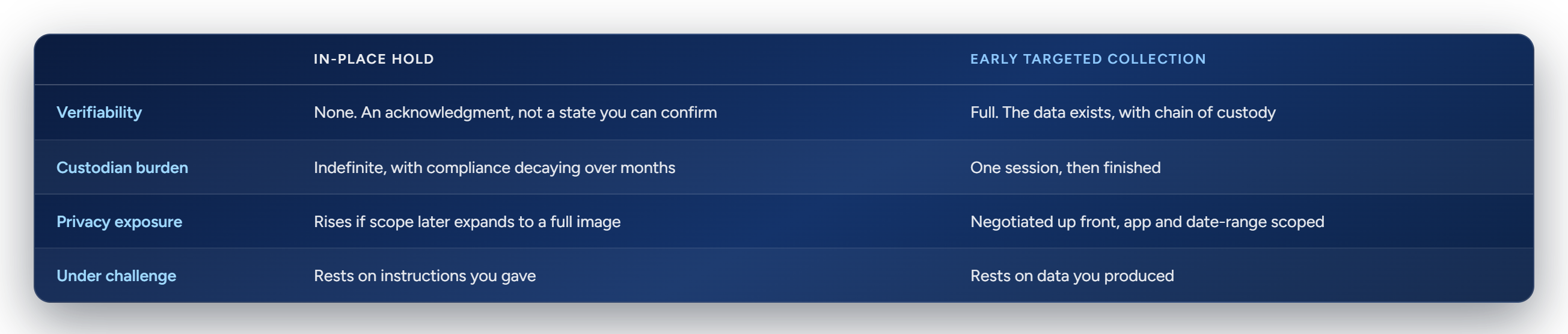
The objection to early collection is always cost and privacy, and both objections assume full device images. Neither survives targeted scoping. Venio's forensic tooling supports defensible, targeted mobile collection scoped to specific apps and date ranges, so you capture the two WhatsApp threads that matter without touching family photos. Culling that collection immediately through Venio ECA means the early capture shrinks downstream review volume rather than inflating it. Collect the four BYOD custodians in week one, cull to the responsive slice, and the cost argument runs in your favor, not against you.
The Departing Employee Window
The highest-risk custodian in any matter is one who resigns while under hold. Offboarding deprovisions corporate accounts within days, and the personal phone walks out the door with everything on it. Any hold covering remote employees needs a collection trigger tied to resignation notice, not last day, because the two weeks between those dates is the only window in which remote employee data preservation is still straightforward.
Building a Rule 37(e) Record
Rule 37(e) asks whether you took reasonable steps to preserve, not whether preservation succeeded. That is more forgiving than most teams assume, and it is the practical resolution of everything above. What courts punish is not the custodian who failed you. It is the party that never accounted for personal devices at all, which is the exact finding in Small, or that adopted deletion tools mid-litigation, which is WeRide and Herzig. The factors judges weigh under Rule 37(e) turn on conduct, intent, and prejudice, not on outcome.
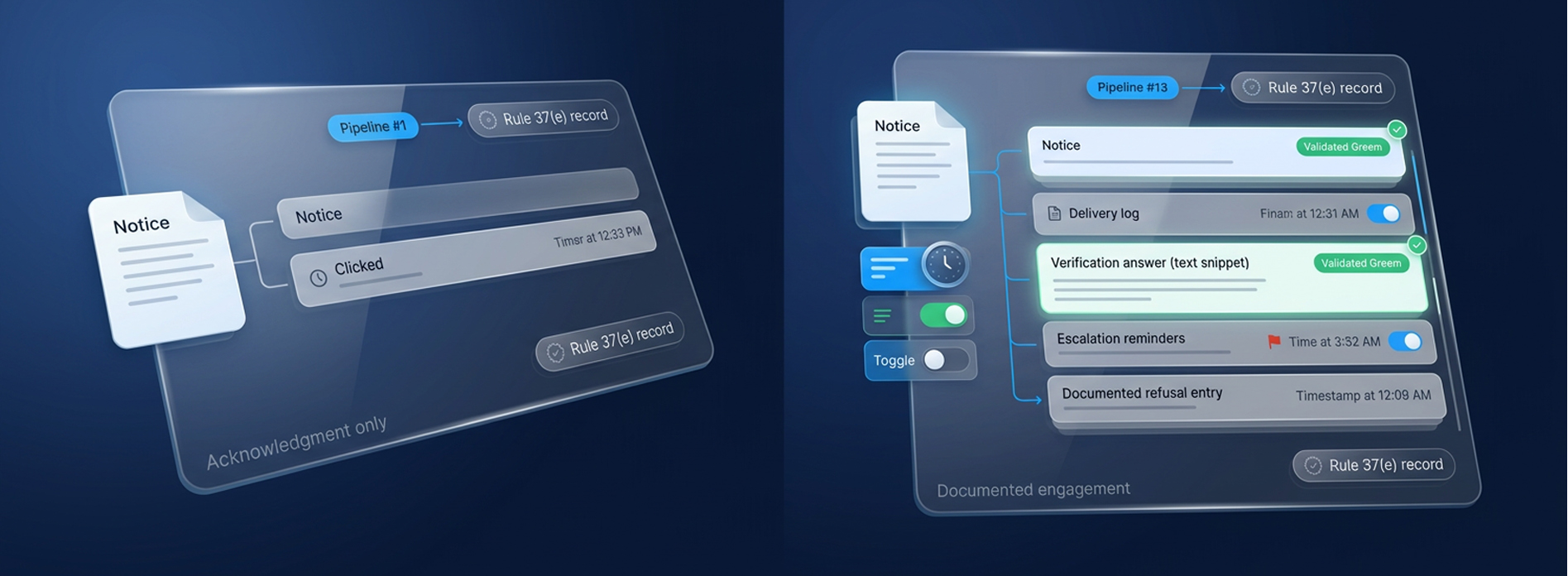
Reasonable steps for a device you never controlled therefore look like a record of engagement, covering app-specific notices with logged delivery, verification answers on file, escalations for silence, and contemporaneous documentation of the custodian who refused and the narrowed scope counsel negotiated in response. A record with visible friction in it is more credible than a spotless dashboard, because the friction is what proves a process actually ran.
This is what centralized legal hold management is for. The audit trail Venio maintains, covering notices, responses, reminders, escalations, and release, is precisely the artifact a Rule 37(e) defense is assembled from, and it is reproducible across matters instead of dependent on whoever owned the spreadsheet. Most of the common legal hold mistakes that reach sanctions motions are gaps in exactly this record.
The Device You Never Controlled
Every case cited in this post has the same shape. The failure was not exotic. It was a routine deletion mechanism, a personal app, or an unasked question, left running against a preservation duty nobody had operationalized for devices the company did not own. The organizations that survive sanctions motions decided how BYOD custodians would be handled before a matter existed. The ones that did not are the case names.
The decision itself is small, covering a consent clause in the BYOD policy, a notice template that names apps and asks a verification question, a collection trigger on resignation, and a default toward early targeted collection for custodians whose evidence lives only on their phones. None of it requires the custodian to be perfect. All of it produces a record showing you never assumed they would be.
Venio Legal Hold runs that record end to end, from templated app-specific notices through tracked responses, automated escalation, and release, on the same platform where targeted collection and early case assessment happen, so nothing breaks in the handoffs. Talk to our eDiscovery Expert and bring your hardest BYOD scenario. We will show you what the defensible version of it looks like.
Frequently Asked Questions
Does a legal hold on personal devices cover an employee's own phone?
Yes, when the device holds work-related information relevant to the matter. Courts including In re Pradaxa have extended the hold obligation to ESI on personally owned devices. Ownership of the hardware affects how you reach the data, not whether you must preserve it.
Are personal text messages discoverable in litigation?
Yes. Courts treat work-related texts on a personal device as ESI like any other source. In Fast v. GoDaddy, sanctions followed the deletion of a single relevant Facebook Messenger message, and the analysis focused on the content, not on who paid for the phone.
Can an employer search an employee's personal device?
Generally not unilaterally. Employers can require preservation and request work-related content, typically relying on consent granted through the BYOD policy. Targeted collection scoped to specific apps and date ranges is more defensible than a full device image and far easier to justify as proportionate.
What should a legal hold notice say about personal devices?
It should name the specific apps in scope rather than referring to the device generally, instruct custodians to disable disappearing messages and auto-delete before responding, and ask a verification question that requires a factual answer. The factual answer is what converts an acknowledgment into evidence of reasonable steps.
What happens if an employee keeps using disappearing messages after a hold?
The organization carries the risk. In WeRide v. Kun Huang, adopting ephemeral messaging after litigation began contributed to terminating sanctions, and in Herzig, switching to Signal mid-lawsuit was held to be intentional, bad-faith spoliation. Documented instructions, follow-ups, and escalation are the organization's defense.
Does a BYOD policy help or hurt in discovery?
It depends on what it says. A policy establishing consent to preservation and targeted collection strengthens your position. A policy disclaiming all employer access to personal data can be read as evidence the company structured itself to avoid a preservation obligation it knew it had.
Related Articles
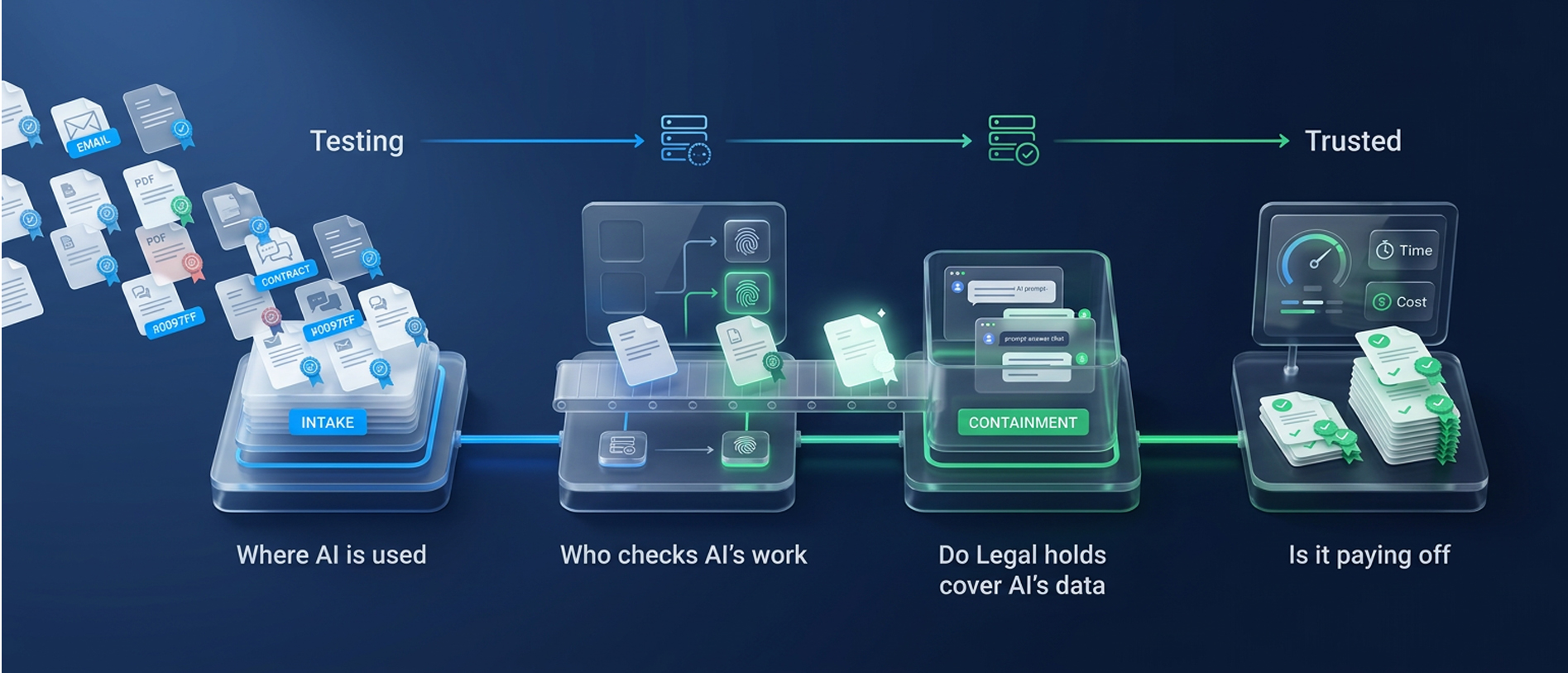
From Testing to Trusted: The Open Questions on AI in eDiscovery
Where is AI used, who checks its work, do legal holds cover AI data, and is it p
Read Article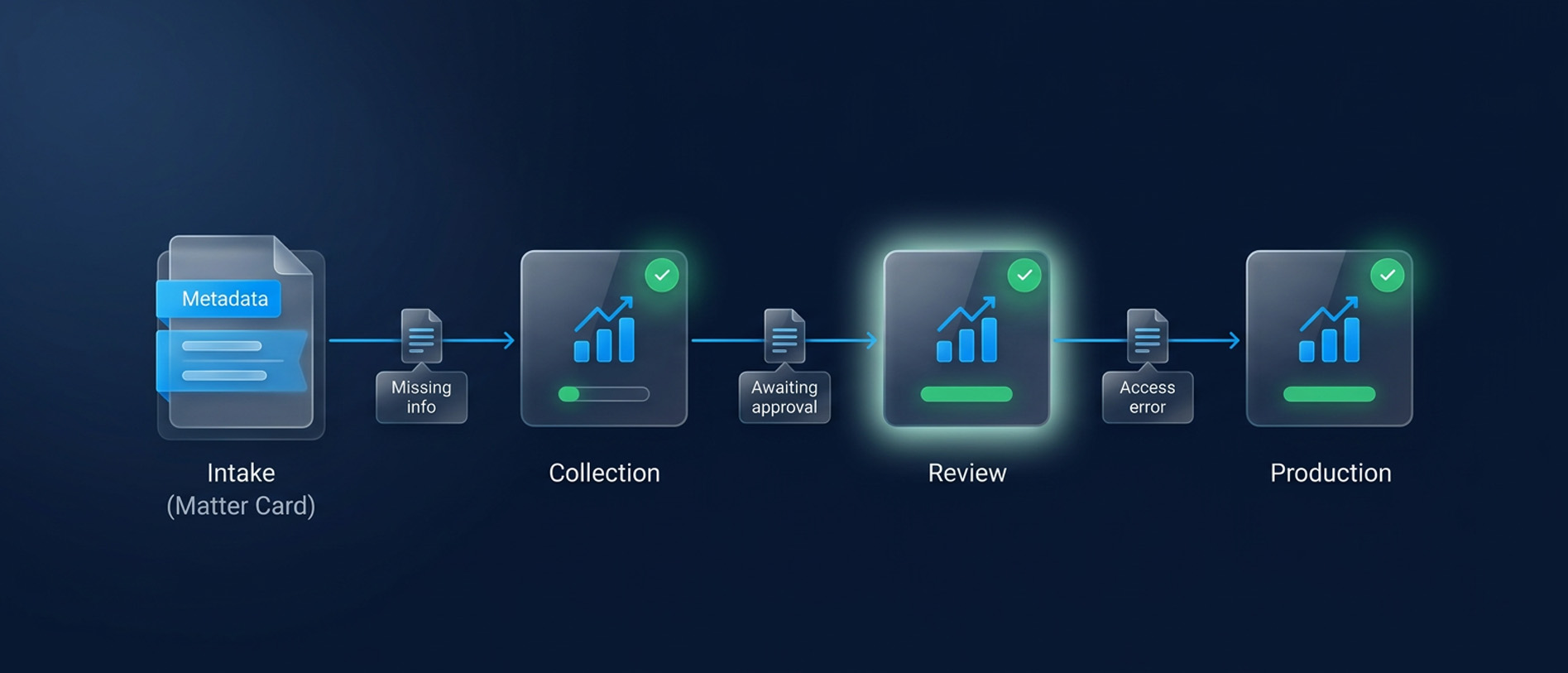
Legal Workflow Automation for Faster eDiscovery
Reduce discovery delays with legal workflow automation. Clarify ownership, resol
Read Article
A Buyer’s Guide to Government eDiscovery Security
Evaluate government eDiscovery security requirements, FedRAMP 20x and NIST contr
Read Article